> ## Documentation Index
> Fetch the complete documentation index at: https://docs.soloent.ai/llms.txt
> Use this file to discover all available pages before exploring further.
# Theme Settings
> Choose eye-friendly color themes for comfortable writing
Select a color theme that's comfortable for your eyes during long writing sessions.
Choose themes based on your environment and time of day to reduce eye strain.
## Choosing a theme
### On first launch
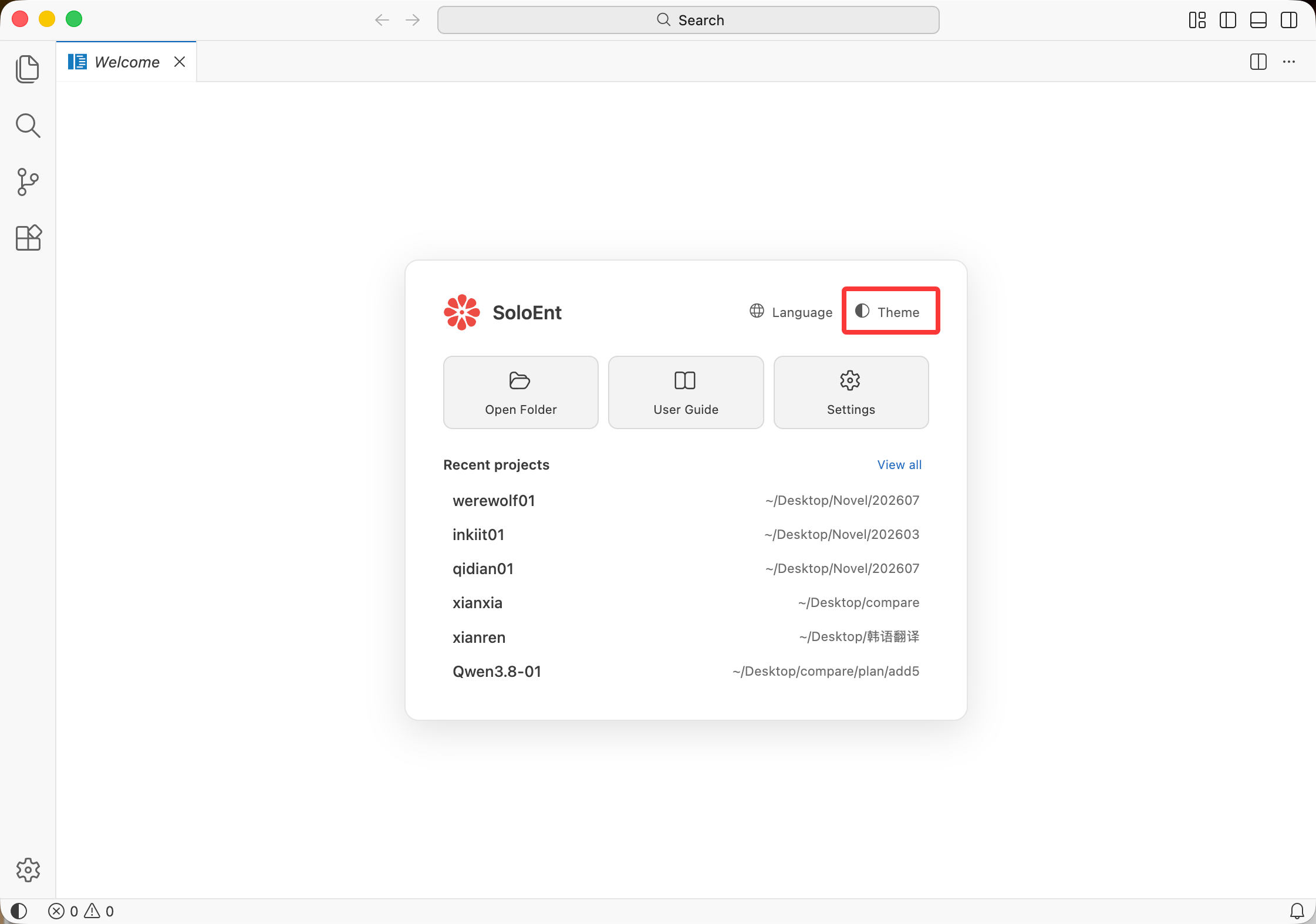
Select your initial theme from the welcome screen.
 ### Changing theme anytime
Click **SoloEnt** (top-left) → **Settings**.
Select **Themes** → **Color Theme**.
Use arrow keys (↑/↓) to preview themes. Press **Enter** to apply.
### Changing theme anytime
Click **SoloEnt** (top-left) → **Settings**.
Select **Themes** → **Color Theme**.
Use arrow keys (↑/↓) to preview themes. Press **Enter** to apply.
 ## Quick selection guide
| Environment | Recommended Theme |
| ----------------------- | ------------------------ |
| Bright room, daytime | Light Default |
| Evening, moderate light | Warm Light |
| Night, low light | Dark Blue or Dark Warm |
| Late night | Dark Default |
| Need maximum contrast | High Contrast Light/Dark |
## Eye comfort tips
Use light themes in bright rooms, dark themes in dim lighting.
Choose Warm Light or Dark Warm themes for evening writing.
Follow the 20-20-20 rule: every 20 minutes, look at something 20 feet away for 20 seconds.
## Next steps
Configure API settings
Create your first project
## Quick selection guide
| Environment | Recommended Theme |
| ----------------------- | ------------------------ |
| Bright room, daytime | Light Default |
| Evening, moderate light | Warm Light |
| Night, low light | Dark Blue or Dark Warm |
| Late night | Dark Default |
| Need maximum contrast | High Contrast Light/Dark |
## Eye comfort tips
Use light themes in bright rooms, dark themes in dim lighting.
Choose Warm Light or Dark Warm themes for evening writing.
Follow the 20-20-20 rule: every 20 minutes, look at something 20 feet away for 20 seconds.
## Next steps
Configure API settings
Create your first project