> ## Documentation Index
> Fetch the complete documentation index at: https://docs.soloent.ai/llms.txt
> Use this file to discover all available pages before exploring further.
# Manage subscription
> Check your balance and invoices, and cancel your SoloEnt subscription
## Subscription rules
You may cancel a paid subscription at any time from your account or the subscription management page. After cancellation, you retain access until the end of the current billing period. No further charges will be made, and the subscription ends—access and AI allowance cease at that time.
If you have chosen to cancel at period end, you may resume the subscription from your account before the period ends. After resuming, the subscription will continue to renew automatically.
After completing payment for a new plan, the new subscription takes effect and the previous one ends. AI budget and usage spend are reset according to the new plan, and billing continues at the chosen interval.
If a refund is granted, that subscription will end and access and AI allowance will cease. Refund amount and timing depend on the payment provider's rules.
We may change plan features or pricing with reasonable advance notice. Such changes will not reduce your existing benefits during the current period unless otherwise stated. Specific plan features, pricing, and billing terms are described on our [pricing page](./choose-your-plan) and in your account dashboard.
## Check your balance and invoice
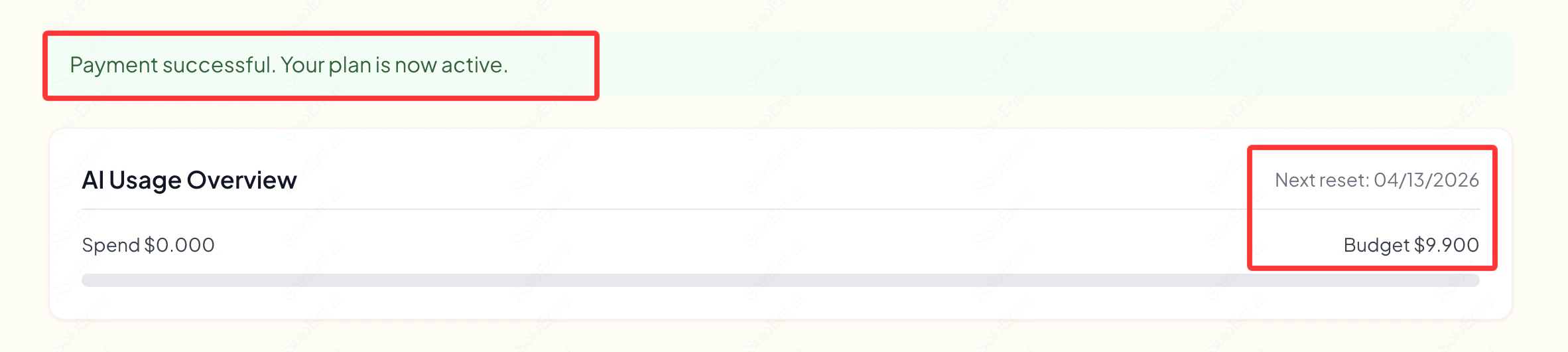
Once payment is complete, your dashboard updates immediately to show your new balance and renewal date.
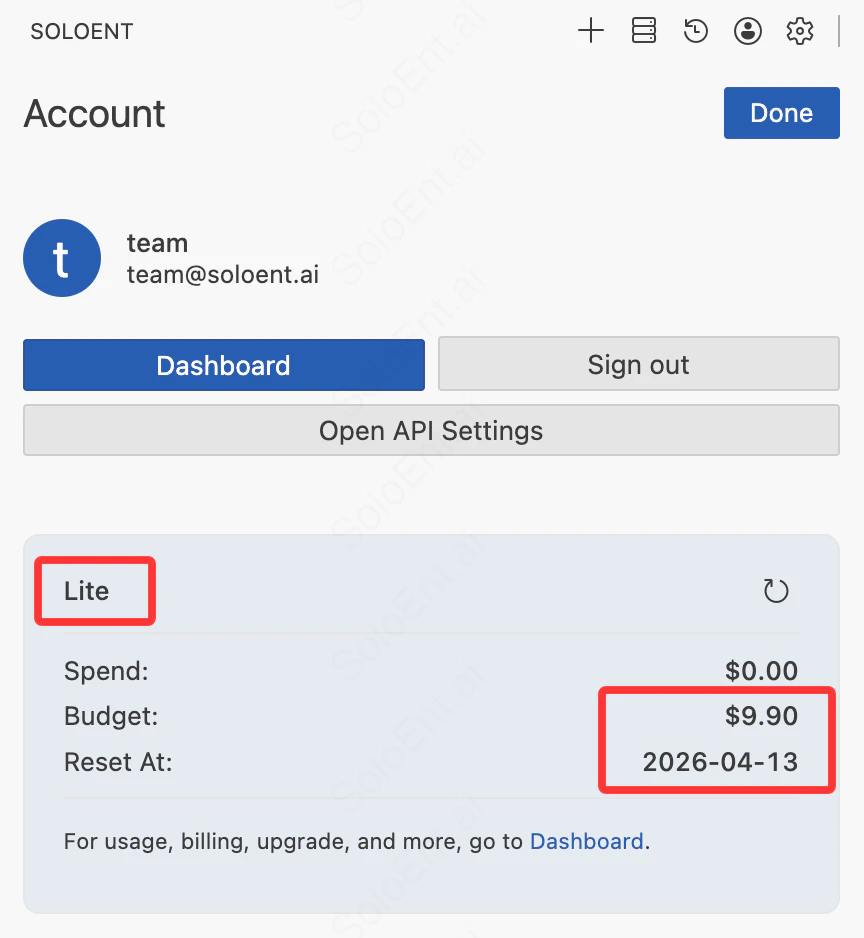
 You can also check your balance at any time in the client by opening your account info and refreshing.
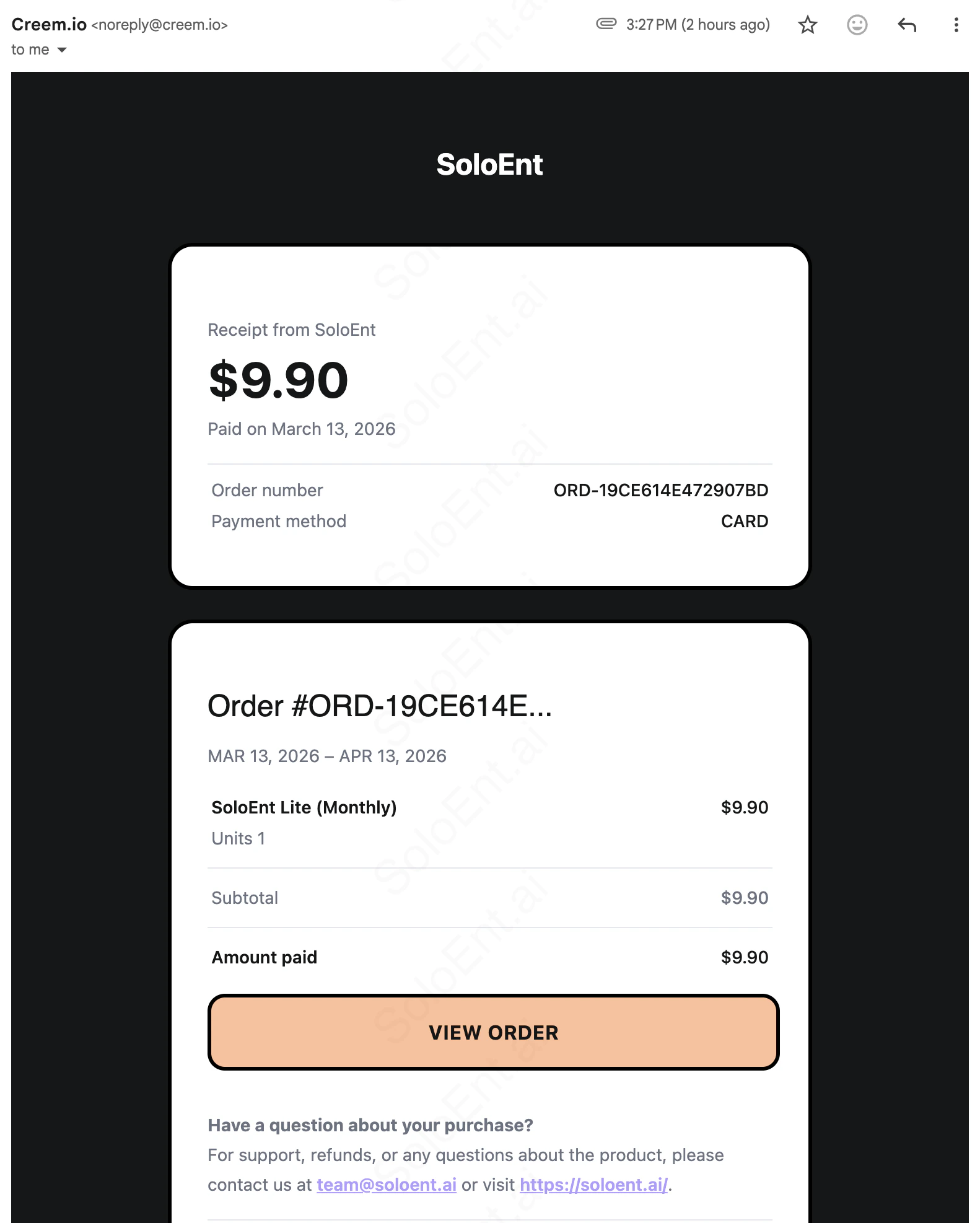
 A payment invoice is sent to your email address for every successful transaction.
 ## Cancel your subscription
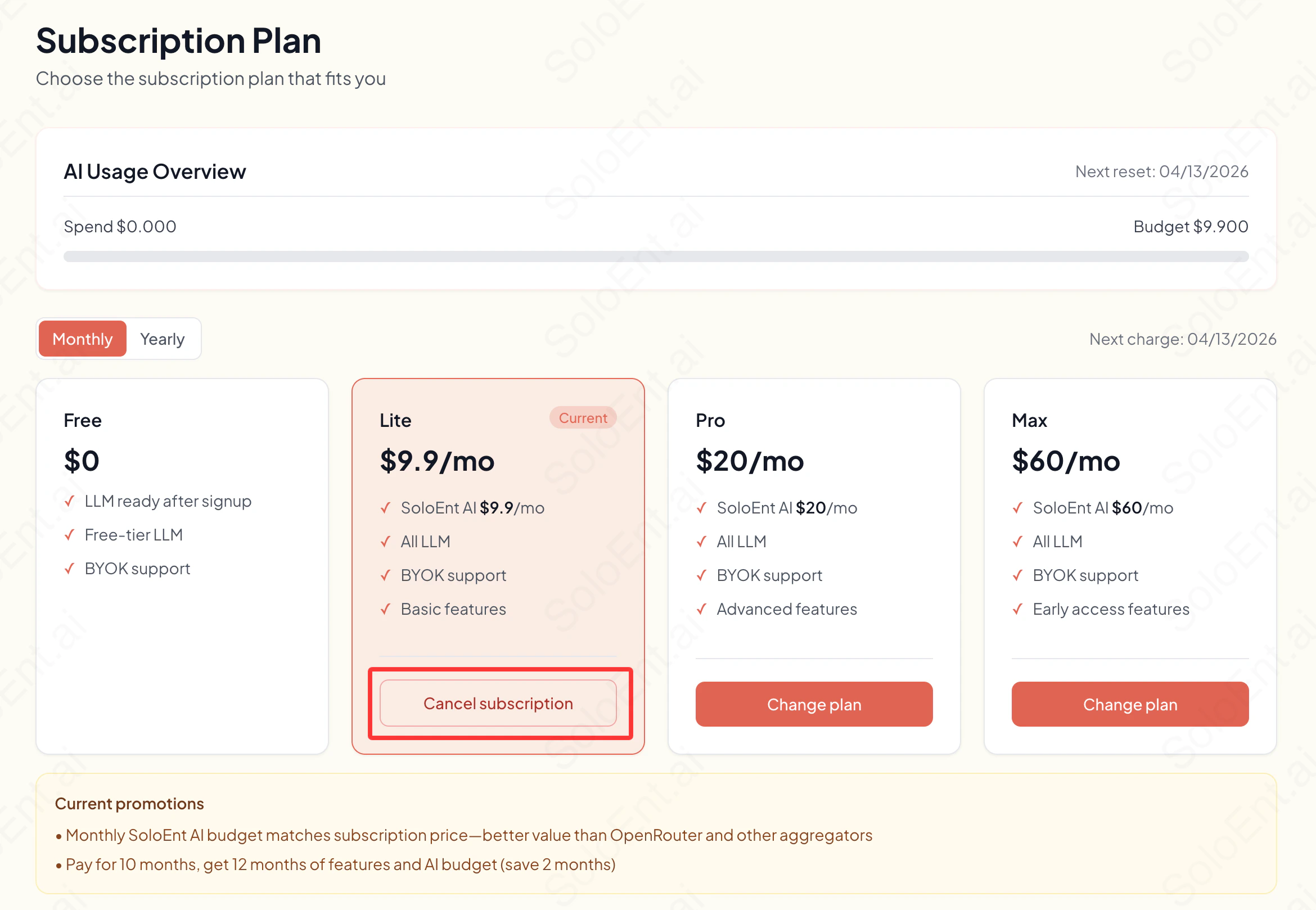
In the dashboard, the button for your active plan changes to **Cancel subscription**. Click it and confirm when prompted—your current plan will be cancelled.
## Cancel your subscription
In the dashboard, the button for your active plan changes to **Cancel subscription**. Click it and confirm when prompted—your current plan will be cancelled.
 After cancellation, you retain access until the end of the current billing period. When the period ends, access and AI allowance cease and the plan reverts to Free. No further charges will be made.
## Refund policy
Paid subscriptions are generally non-refundable; no refunds are given for billing periods already used.
If you have a reasonable refund request due to service failure, duplicate charges, or our error, please contact us at [team@soloent.ai](mailto:team@soloent.ai). We will evaluate your case and work with the payment provider where appropriate.
If a refund is granted, that subscription will end immediately—access and AI allowance will cease. Refund amount and timing depend on the payment provider's rules.
## Customer service
For billing issues or account questions, reach the SoloEnt team at:
[team@soloent.ai](mailto:team@soloent.ai)
When contacting support, include:
* Your account email
* A description of the issue
* Your payment confirmation number or transaction ID (if applicable)
For fastest response, join the [Discord community](https://discord.com/invite/NUh3skEFuY) where the team is active.
## Next steps
Compare plans and pricing
Payment process and security tips
After cancellation, you retain access until the end of the current billing period. When the period ends, access and AI allowance cease and the plan reverts to Free. No further charges will be made.
## Refund policy
Paid subscriptions are generally non-refundable; no refunds are given for billing periods already used.
If you have a reasonable refund request due to service failure, duplicate charges, or our error, please contact us at [team@soloent.ai](mailto:team@soloent.ai). We will evaluate your case and work with the payment provider where appropriate.
If a refund is granted, that subscription will end immediately—access and AI allowance will cease. Refund amount and timing depend on the payment provider's rules.
## Customer service
For billing issues or account questions, reach the SoloEnt team at:
[team@soloent.ai](mailto:team@soloent.ai)
When contacting support, include:
* Your account email
* A description of the issue
* Your payment confirmation number or transaction ID (if applicable)
For fastest response, join the [Discord community](https://discord.com/invite/NUh3skEFuY) where the team is active.
## Next steps
Compare plans and pricing
Payment process and security tips