> ## Documentation Index
> Fetch the complete documentation index at: https://docs.soloent.ai/llms.txt
> Use this file to discover all available pages before exploring further.
# Using the Context Window Wisely
> Understand the context window's limits and costs, and use task isolation, session compaction, and doc offloading to keep long-form writing stable and token-efficient
## What is the context window?
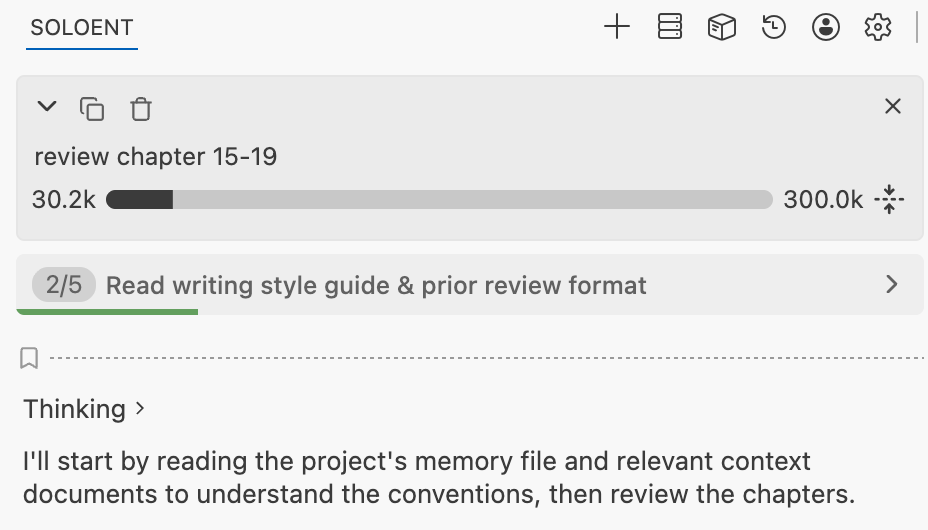
Every session window has a context-length limit. Above the chat box you can see how much context the current window has used — for example the **30.2k / 300.0k** below: the left number is the used session size, and the right number is the current session's context ceiling.
 ## Setting the context ceiling
A single session's context ceiling is determined by the model's capability; today's mainstream models already support up to 1M. SoloEnt lets you set the per-session context ceiling to a reasonable level as needed.
## Setting the context ceiling
A single session's context ceiling is determined by the model's capability; today's mainstream models already support up to 1M. SoloEnt lets you set the per-session context ceiling to a reasonable level as needed.
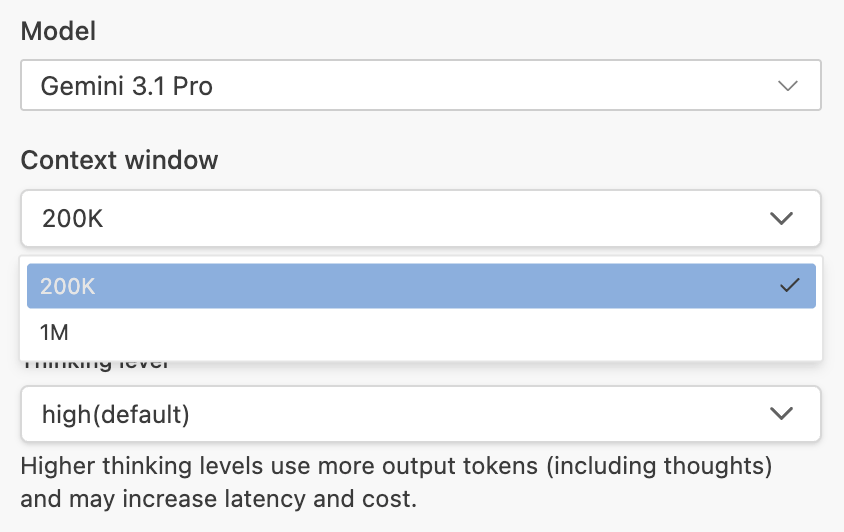 **Bigger is not always better.** An oversized window scatters the model's attention — especially during repeated exploration and revision, performance can actually drop.
* **Keep it around 200K–300K.**
* Common practice: following mature Agent products like Codex Cloud, people usually use only the first tier (200K–300K) of context and rarely go higher.
## Why we don't recommend maxing out a single 1M window
Many users assume a single window brings caching advantages, but some models charge in **tiers based on session size**, so an overly long session risks a cost surge.
Example: with some models, input/output below 256K is one price tier, and above 256K it rises noticeably — a clear tiered price jump.
While most new models offer good caching (a cache hit may cost only 1/5 to 1/10 of the price), sessions **spanning days or long idle gaps** cause the cache to expire, so a single request consumes a lot of tokens.
If you switch models partway through a single window, the new model actually has to read all the context the old model accumulated, which can consume a large chunk of the session at once — very uneconomical. **Always summarize the prior session before switching models.**
## Best practices
Switching windows means giving up the current window's session history, which feels wasteful to many users; but over-relying on a single window is neither economical nor good for long-term context quality in practice.
* **Task isolation**: aim for "one session, one task," and check completion before moving on.
* If the next task is related: summarize the current session, offload it to a project file (such as `SOLOENT.md`), then continue in a new session.
* If the next task is unrelated: decisively open a new session to avoid piling up historical tokens.
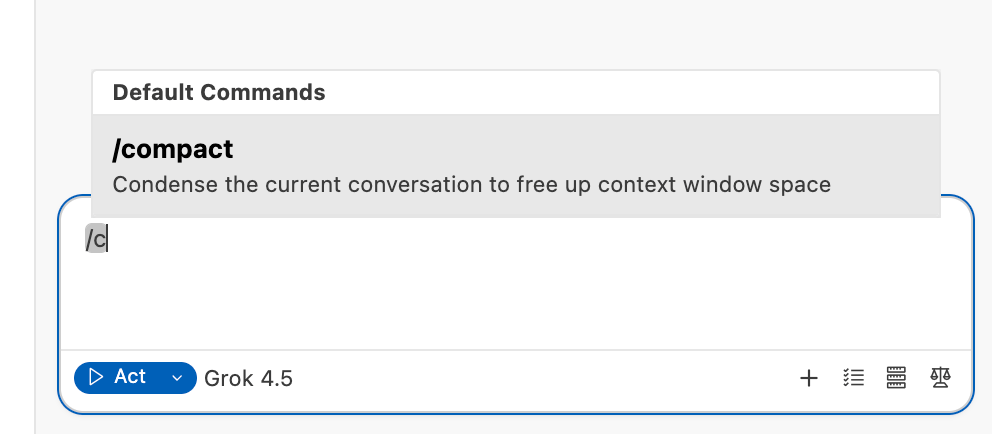
* **Use session compaction**: when a session gets too full, use the `/compact` command to condense the current content into a short summary and use it as the starting input for a new session — preserving the core information while lowering token usage.
**Bigger is not always better.** An oversized window scatters the model's attention — especially during repeated exploration and revision, performance can actually drop.
* **Keep it around 200K–300K.**
* Common practice: following mature Agent products like Codex Cloud, people usually use only the first tier (200K–300K) of context and rarely go higher.
## Why we don't recommend maxing out a single 1M window
Many users assume a single window brings caching advantages, but some models charge in **tiers based on session size**, so an overly long session risks a cost surge.
Example: with some models, input/output below 256K is one price tier, and above 256K it rises noticeably — a clear tiered price jump.
While most new models offer good caching (a cache hit may cost only 1/5 to 1/10 of the price), sessions **spanning days or long idle gaps** cause the cache to expire, so a single request consumes a lot of tokens.
If you switch models partway through a single window, the new model actually has to read all the context the old model accumulated, which can consume a large chunk of the session at once — very uneconomical. **Always summarize the prior session before switching models.**
## Best practices
Switching windows means giving up the current window's session history, which feels wasteful to many users; but over-relying on a single window is neither economical nor good for long-term context quality in practice.
* **Task isolation**: aim for "one session, one task," and check completion before moving on.
* If the next task is related: summarize the current session, offload it to a project file (such as `SOLOENT.md`), then continue in a new session.
* If the next task is unrelated: decisively open a new session to avoid piling up historical tokens.
* **Use session compaction**: when a session gets too full, use the `/compact` command to condense the current content into a short summary and use it as the starting input for a new session — preserving the core information while lowering token usage.
 * Once context usage passes about **200K**, continuing may cause a cost surge; a good rule of thumb is to consider opening a new window when a single window reaches **100–150K**.
### Always summarize and offload before opening a new window
1. **Long-form fiction**: use `/init` to generate `SOLOENT.md` in your project and write key context — characters, outline, current progress — into it. Each new window lets the model quickly restore the full project picture by reading `SOLOENT.md`, rather than relying on context accumulated in a single session.
2. **After heavy discussion**: if you and the Agent have discussed a lot and context is running high, ask the Agent to summarize the current discussion before switching windows (or models) and land the conclusions in a readable document. After switching, read that document first to get back up to speed.
Use a memory file to carry long-term context so every new session quickly restores the full picture
Learn how to use built-in commands like `/compact` and `/init`
* Once context usage passes about **200K**, continuing may cause a cost surge; a good rule of thumb is to consider opening a new window when a single window reaches **100–150K**.
### Always summarize and offload before opening a new window
1. **Long-form fiction**: use `/init` to generate `SOLOENT.md` in your project and write key context — characters, outline, current progress — into it. Each new window lets the model quickly restore the full project picture by reading `SOLOENT.md`, rather than relying on context accumulated in a single session.
2. **After heavy discussion**: if you and the Agent have discussed a lot and context is running high, ask the Agent to summarize the current discussion before switching windows (or models) and land the conclusions in a readable document. After switching, read that document first to get back up to speed.
Use a memory file to carry long-term context so every new session quickly restores the full picture
Learn how to use built-in commands like `/compact` and `/init`