> ## Documentation Index
> Fetch the complete documentation index at: https://docs.soloent.ai/llms.txt
> Use this file to discover all available pages before exploring further.
# 음성 입력
> 채팅 창에서 말하는 것만으로 입력해 더 편하게 집필하기
음성 입력은 **v0.12.0** 부터 지원됩니다.
채팅 창에서 **Voice input**(마이크 아이콘)을 클릭하면 말로 입력할 수 있어 집필이 한결 수월해집니다.
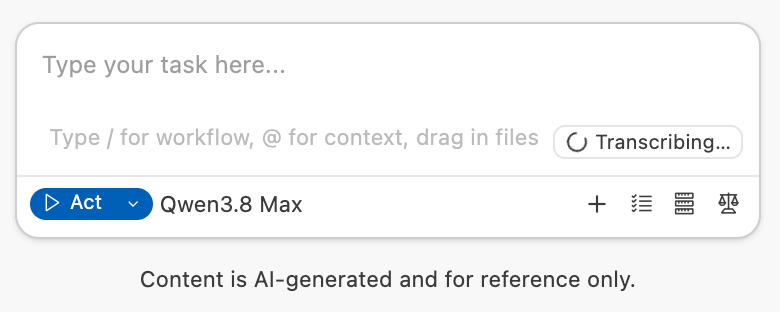
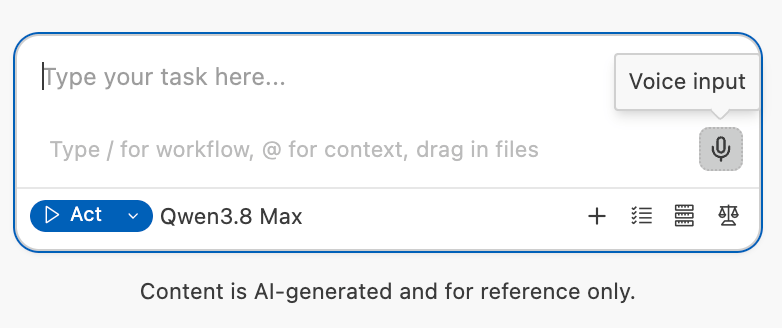 클릭하면 말하기를 시작할 수 있고, 다 말한 뒤 다시 클릭하면 자동으로 텍스트 변환이 시작됩니다. 변환 중에는 입력창에 **Transcribing...** 이 표시됩니다.
 ## 크레딧 소비
Voice input으로 발생한 token 소비는 **회원 크레딧** 에서 자동으로 차감되며, Dashboard의 **사용량 상세** 에서 확인할 수 있습니다.
## 크레딧 소비
Voice input으로 발생한 token 소비는 **회원 크레딧** 에서 자동으로 차감되며, Dashboard의 **사용량 상세** 에서 확인할 수 있습니다.