
Three-panel layout
Left: Files
Project structure and navigation
Center: Editor
Writing and editing workspace
Right: Agent
AI assistant and chat
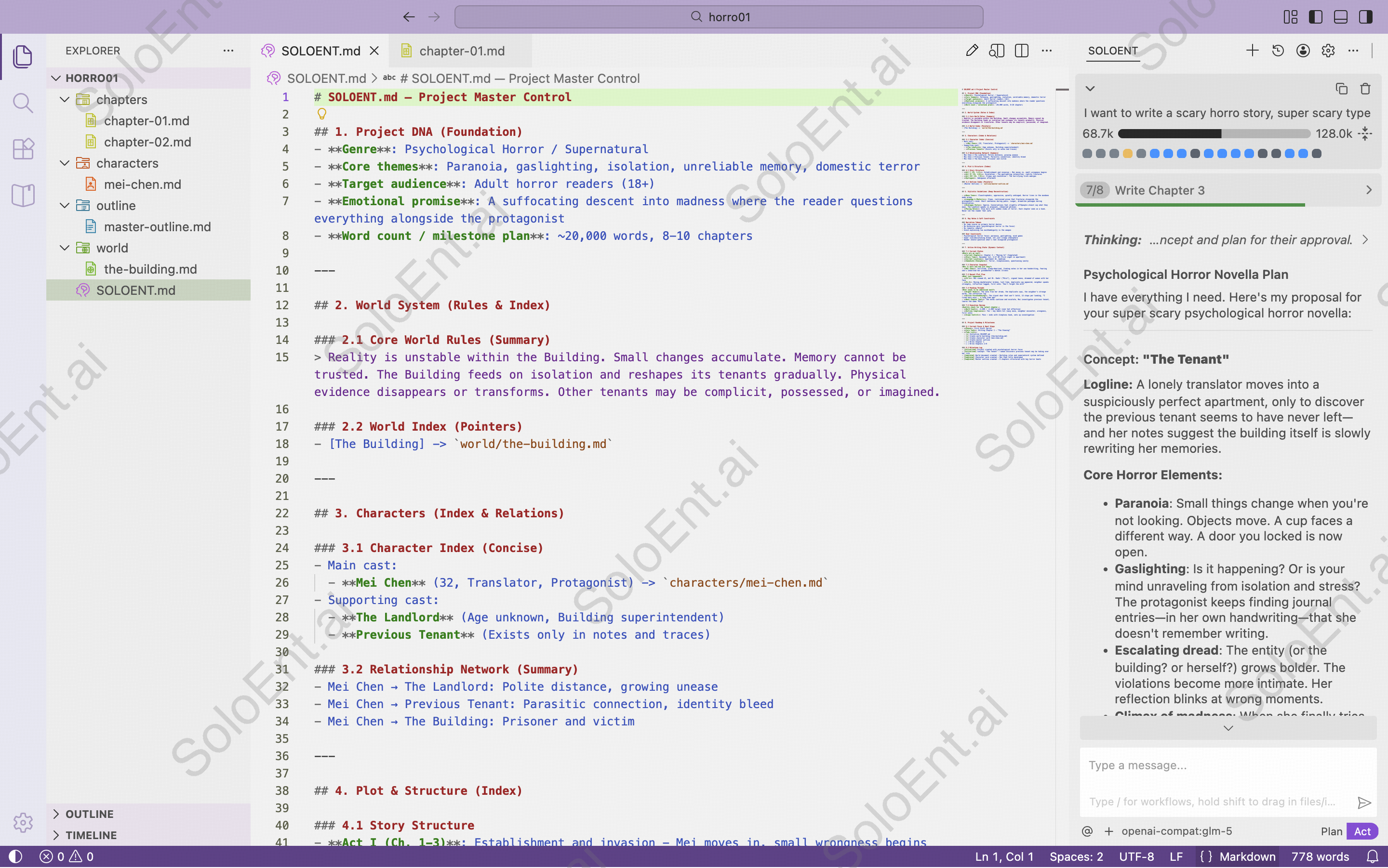
File manager (Left panel)
Organize your writing project with standard folders:- World: World-building, settings, background information
- Characters: Character profiles and development
- Outline: Story structure and plot points
- Chapters: Your actual written content
- Custom: Any additional documents you create
Keep files organized by category. This helps both you and the AI understand your project better.
File operations
- Create: Right-click folder → New File
- Rename: Right-click file → Rename
- Move: Drag and drop between folders
- Delete: Right-click file → Delete
Editor (Center panel)
Your main writing workspace with essential features:Markdown support
Write with standard Markdown formatting
Split view
Open multiple files side-by-side
Live preview
See formatted content in real-time
Auto-save
Changes save automatically
Learn more in the Editor guide.
Agent (Right panel)
Your AI writing assistant with two modes:- Plan Mode
- Act Mode
For strategic thinking:
- Brainstorm ideas
- Develop outlines
- Research topics
- Plan story arcs
Using the Agent
Learn more in the Plan Mode guide.
Layout presets
Click the layout icons in the top-right corner to quickly adjust your workspace:| Preset | Use Case |
|---|---|
| Editor focus | Maximize writing space |
| Balanced | Equal space for all panels |
| Agent focus | Expand AI chat area |
| Custom | Drag boundaries freely |