
Choosing a theme
On first launch
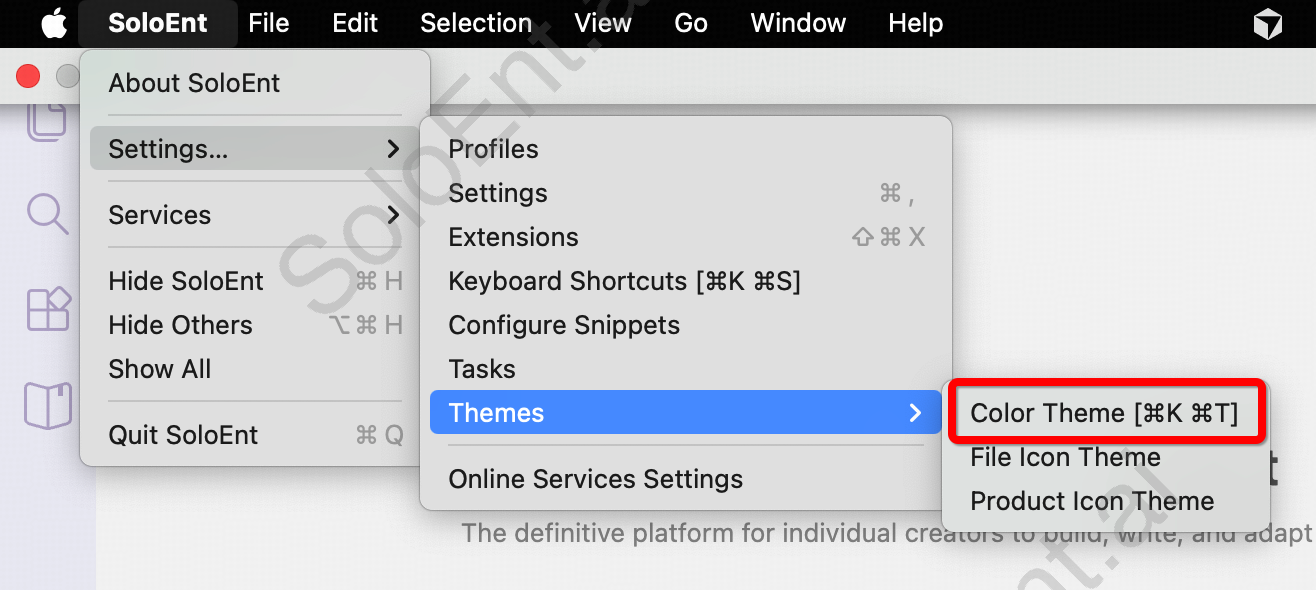
Select your initial theme from the welcome screen.Changing theme anytime
Quick selection guide
| Environment | Recommended Theme |
|---|---|
| Bright room, daytime | Light Default |
| Evening, moderate light | Warm Light |
| Night, low light | Dark Blue or Dark Warm |
| Late night | Dark Default |
| Need maximum contrast | High Contrast Light/Dark |
Eye comfort tips
Match your environment
Match your environment
Use light themes in bright rooms, dark themes in dim lighting.
Reduce blue light
Reduce blue light
Choose Warm Light or Dark Warm themes for evening writing.
Take breaks
Take breaks
Follow the 20-20-20 rule: every 20 minutes, look at something 20 feet away for 20 seconds.