

Entry points
Quick config from chat
1
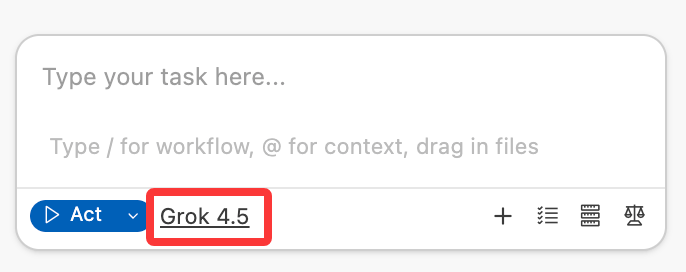
Click the model name at the bottom of the chat
Click the model name at the bottom of the Agent chat to open the model settings panel.
Via settings panel
1
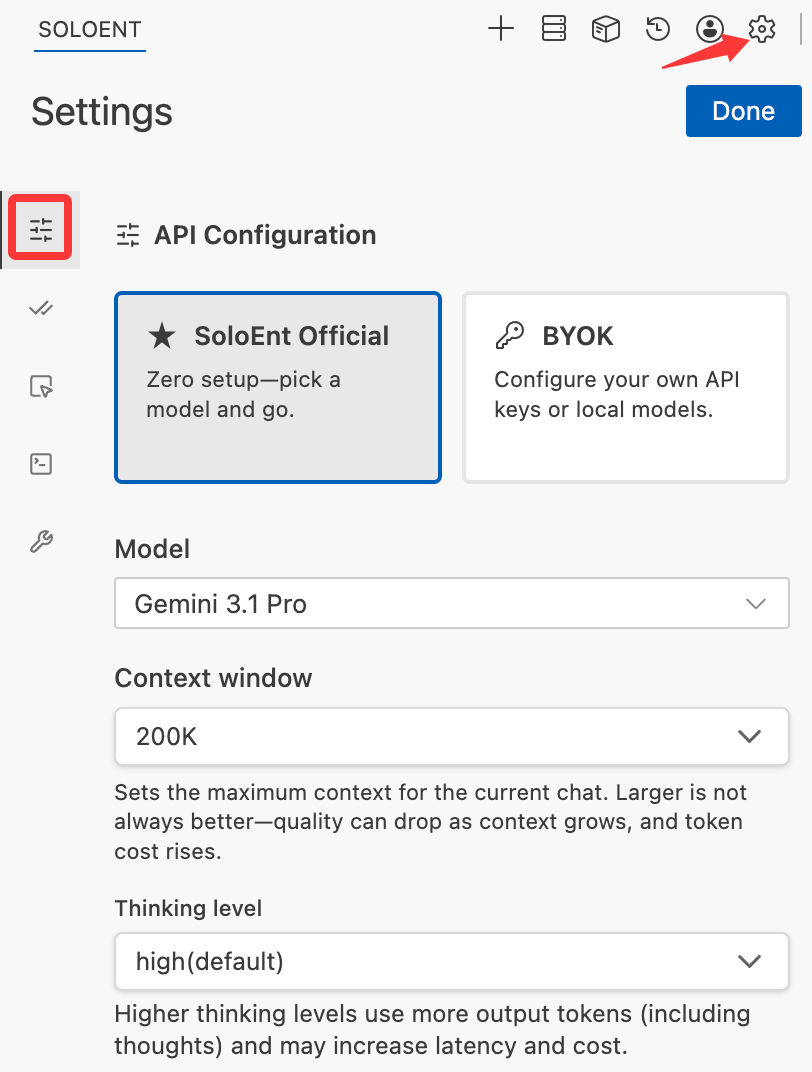
Open Agent settings
Click the settings icon in the Agent panel.
2
Go to model settings
Choose whether to use official models directly or configure your own model (BYOK).
Official API
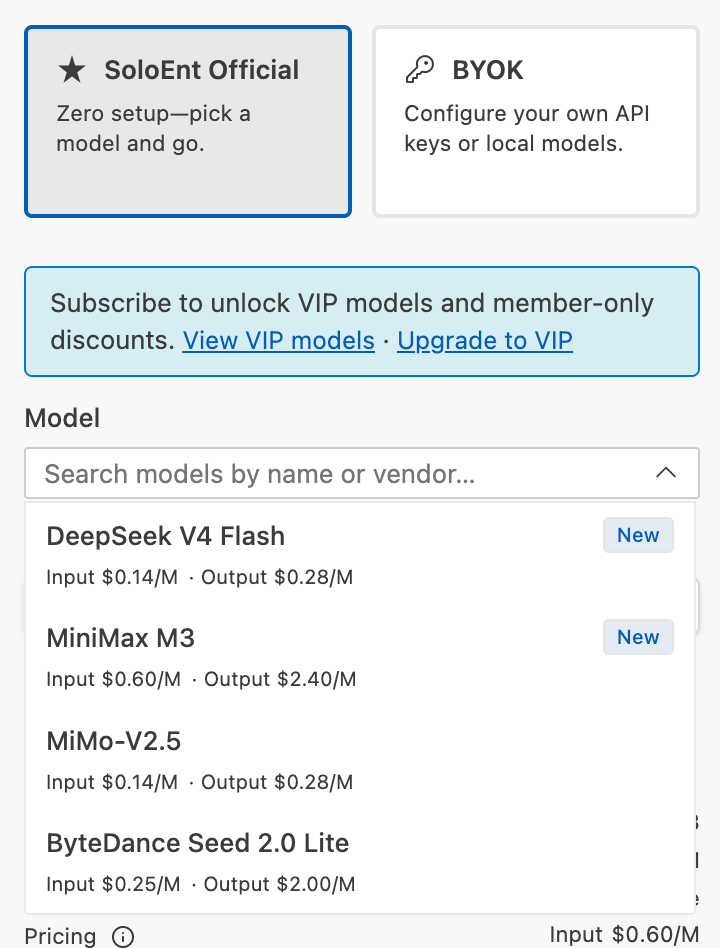
SoloEnt provides an official API. Once logged in, you can use it directly without setting up any third-party keys.Free models
Official free models are available immediately after login. The available free models and discounts are updated regularly with ongoing campaigns.Every registered user gets a trial credit of $0.5; join platform activities to earn more free credit.
Subscription models (VIP)
Lite, Pro, and Max subscribers can use all models in the VIP list — covering the latest models from top providers including Anthropic, OpenAI, Google, and DeepSeek — without configuring any third-party API key.SoloEnt API pricing matches the official pricing of each model provider, with no additional fees, and different models offer different discounts from time to time.
Third-party API key configuration
An API key is your authentication credential for accessing AI models — typically a random string:Where to get API keys
Popular providers
Get free API keys
Explore free tier options and community resources
Filling in the API details you purchased
Standard configuration (official providers)
For OpenAI, Anthropic, Google, and select aggregators — find the corresponding provider in the API Provider dropdown and enter only the API Key:OpenAI-compatible configuration (third-party)
Select OpenAI Compatible from the API Provider dropdown to configure a third-party provider.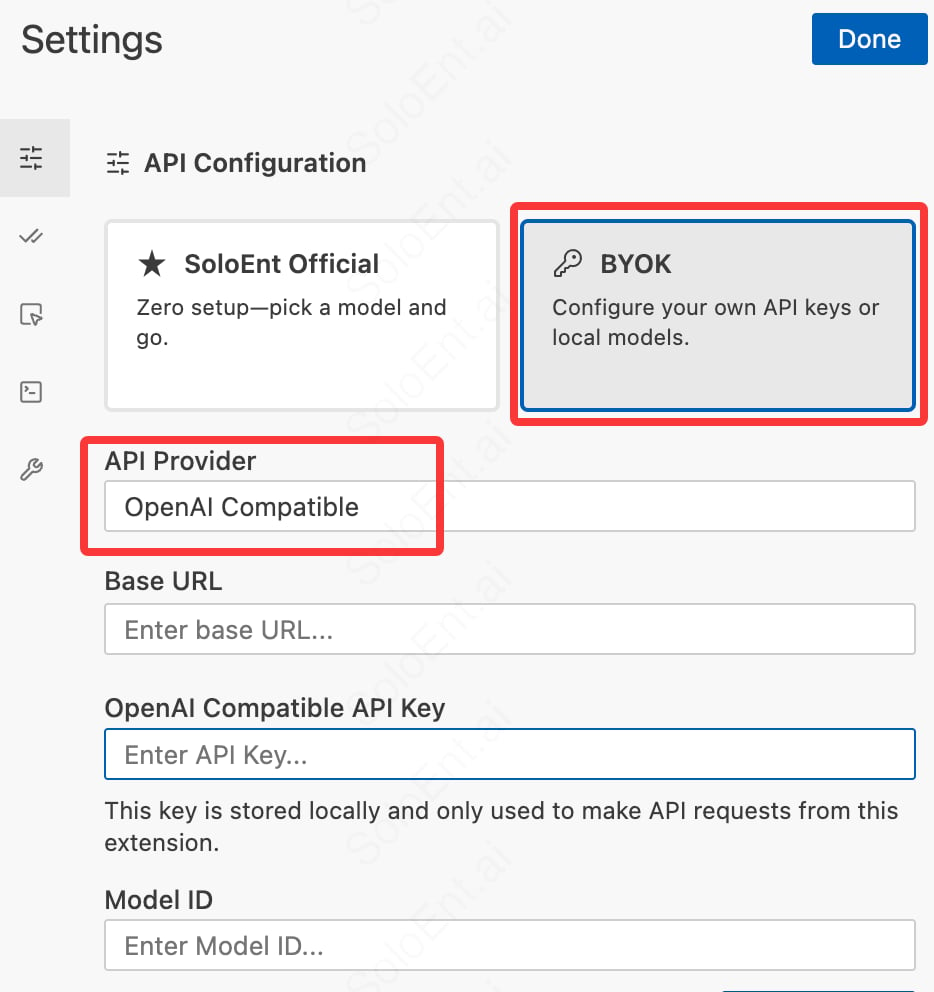
string
required
API endpoint URL (e.g.,
https://api.provider.com/v1)string
required
Your API key
string
required
Model identifier (e.g.,
gpt-4-turbo)Local LLMs
Run AI models on your own computer for privacy and offline access.Local model setup guide
Complete guide to running models locally
Using a Codex / Claude Code subscription in SoloEnt
If you already have an OpenAI Codex or Claude Code subscription, you can reuse that subscription’s quota directly in SoloEnt while enjoying SoloEnt’s professional writing Skills — no need to buy a separate API key.Using a Codex subscription
Select BYOK, choose OpenAI Codex in the API Provider list, and click to sign in to OpenAI Codex. Once signed in, you can select the models Codex provides (such as GPT-5.x) from the model list. No extra API key is needed when using a ChatGPT Plus or Pro subscription.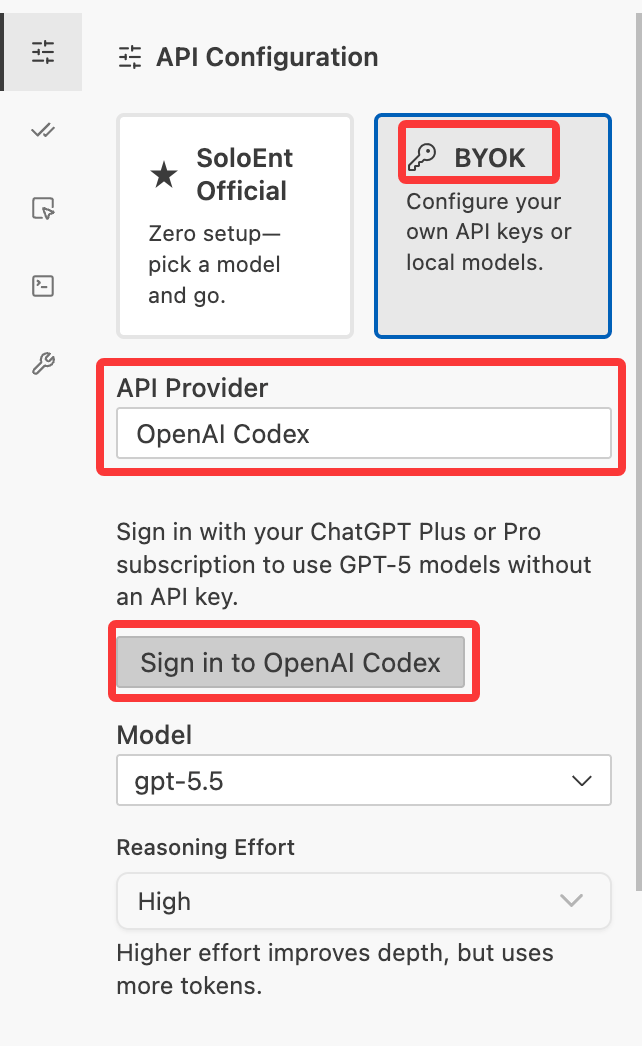
Using a Claude Code subscription
First install the Claude Code CLI on your computer and bind your Claude Code subscription account, making sure Claude Code runs correctly locally. Then select BYOK, choose Claude Code from the list, and — with no other setup — pick the Claude model you want directly from the model list.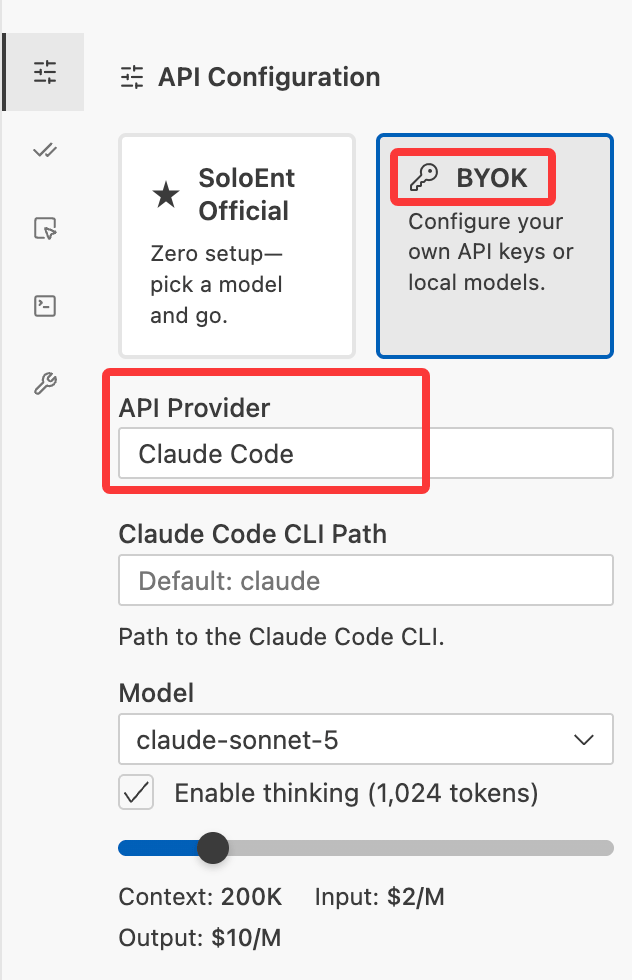
Common error codes
Other errors caused by instability in third-party models cannot be accurately diagnosed by SoloEnt at this time.
Other FAQ
Invalid API key
Invalid API key
- Verify you copied the entire key
- Check if the key has expired
- Regenerate from the provider dashboard
Connection fails
Connection fails
- Check your internet connection
- Verify the Base URL (for OpenAI Compatible configuration)
- Try without a VPN
Next steps
Language settings
Set your preferred language
Start writing
Create your first project
Local models
Run AI models on your computer
Free API keys
Get free access to AI models