

Still stuck? Email team@soloent.ai with the following:
- Your login account (email address)
- Your client version number
- Detailed steps to reproduce
- Relevant screenshots
The login redirect prompt does not appear
After authorization succeeds, the browser usually asks whether to open SoloEnt, and there is a backup button at the bottom of the page:- In the popup, choose Open SoloEnt to allow the desktop app to open
- If there’s no popup, click Click here to open SoloEnt on the page to trigger it manually
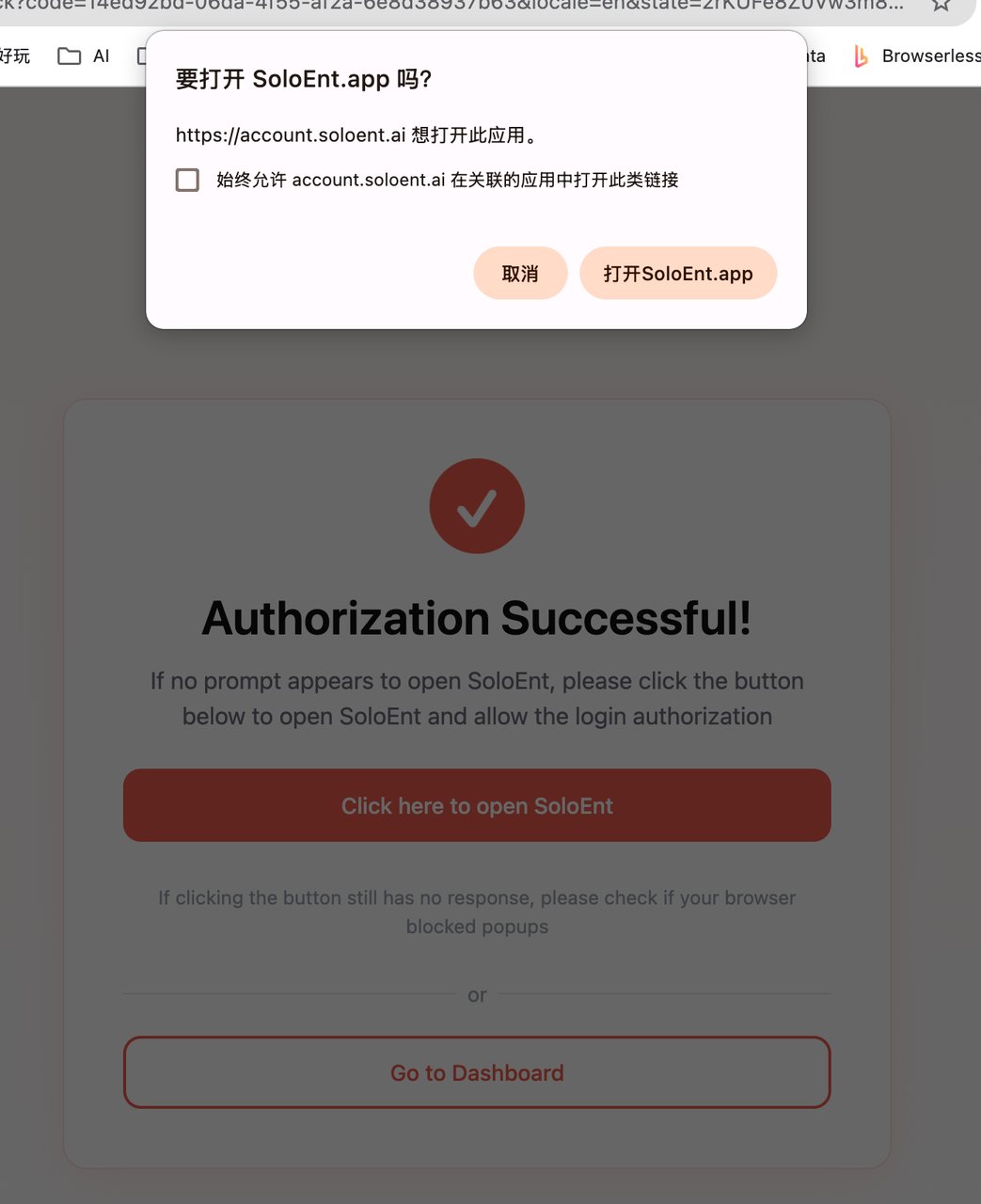
account.soloent.ai.
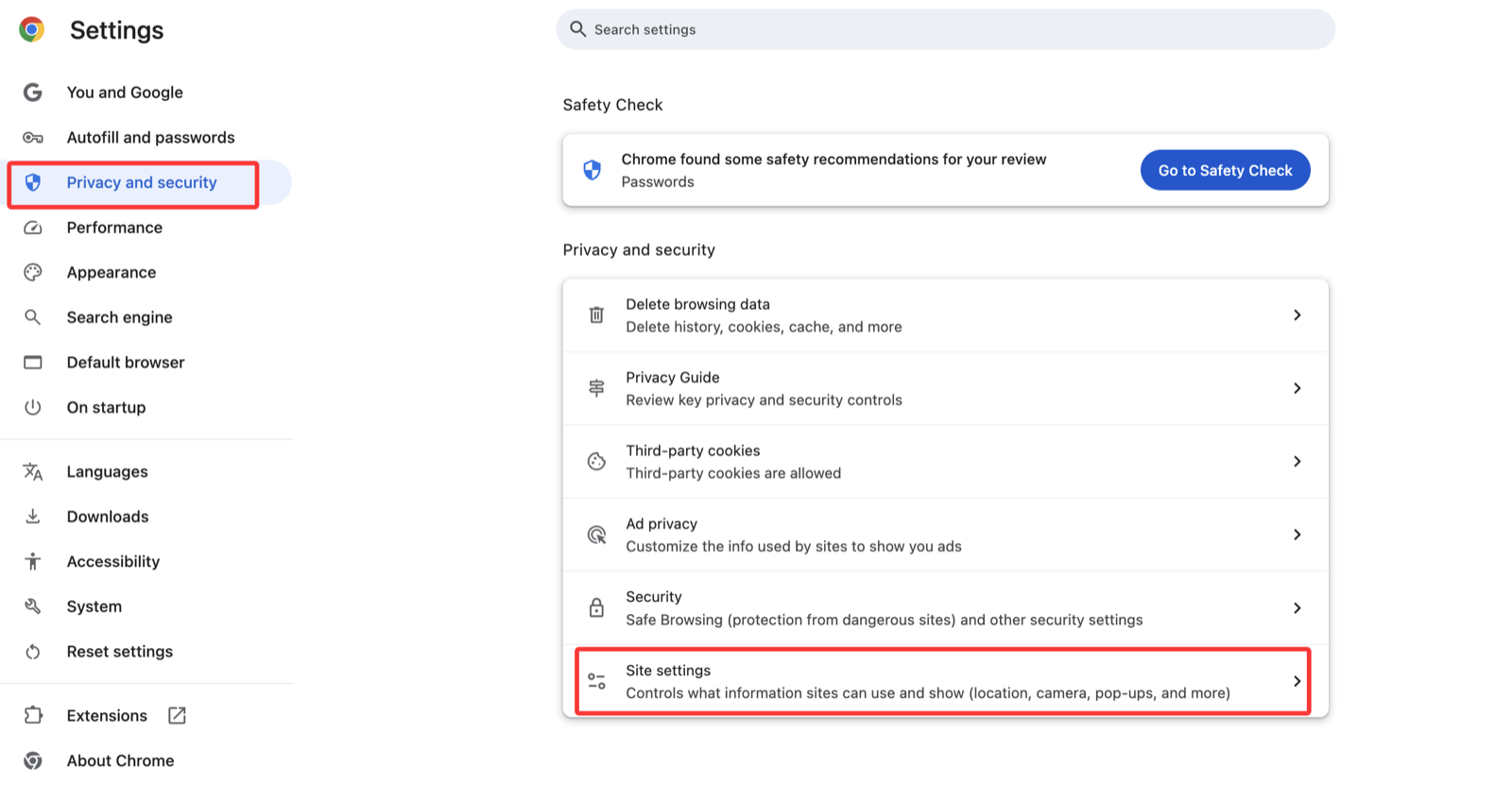
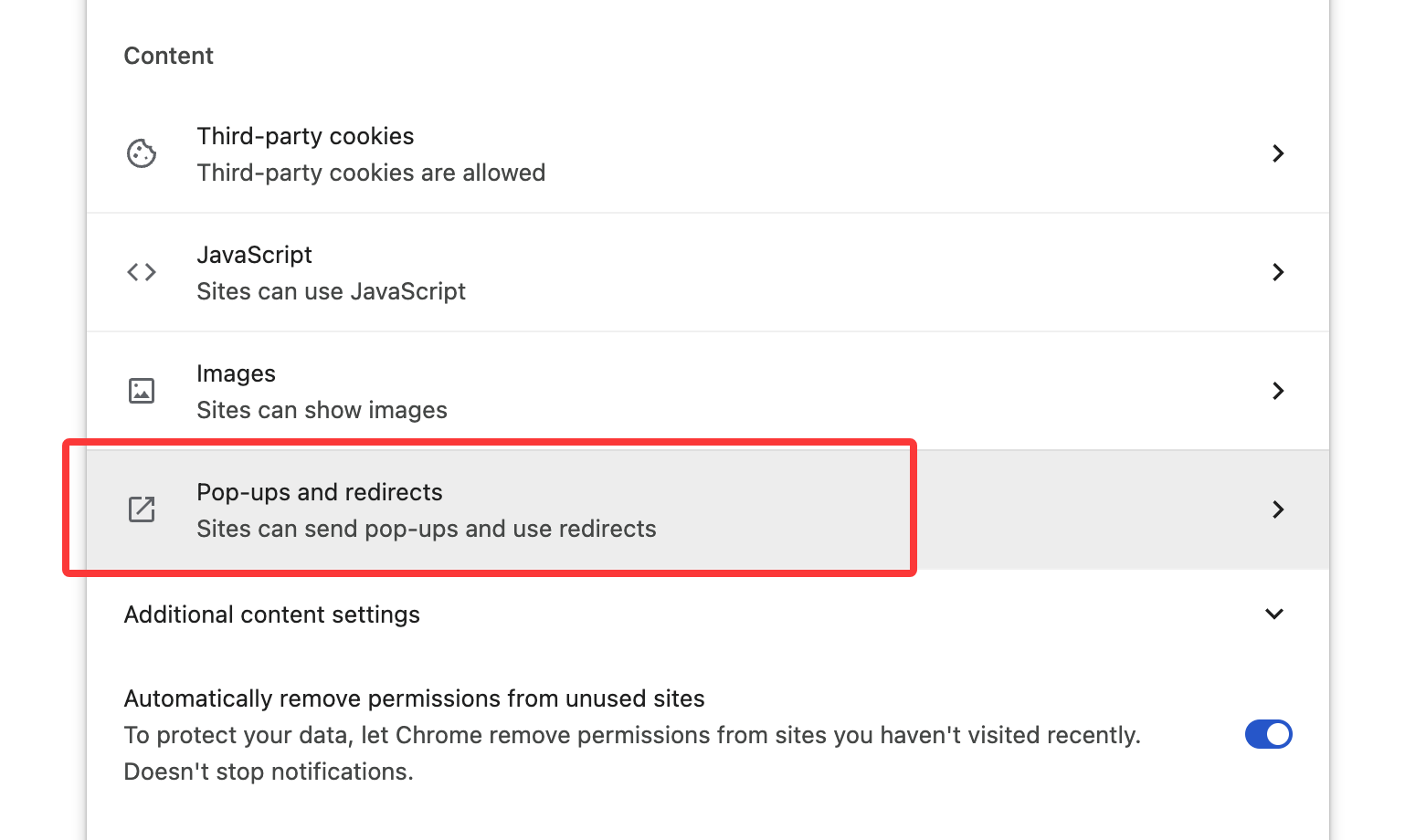
Can’t find the recharge/upgrade entry
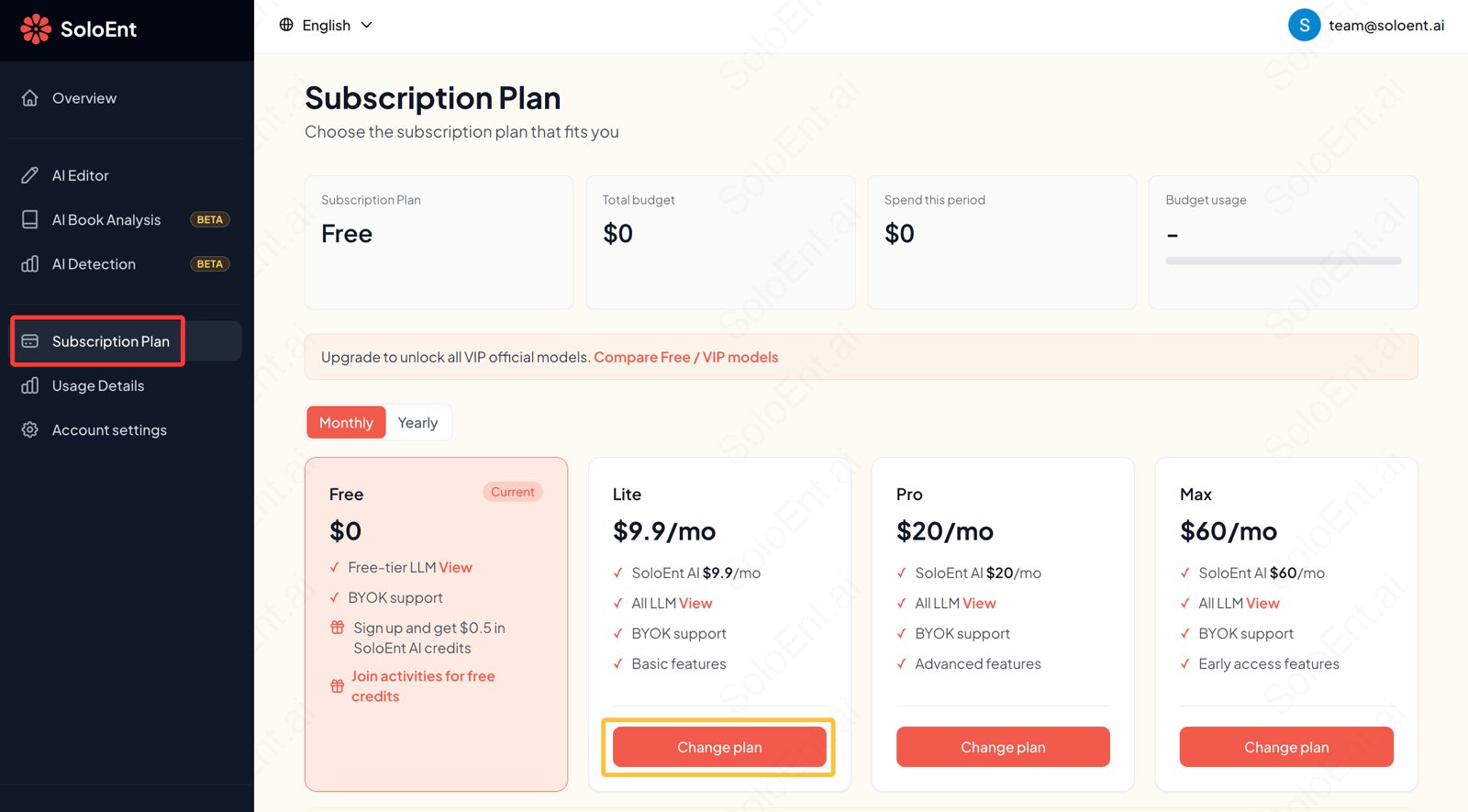
There are two ways to reach the subscription console:- Option 1: Click your account avatar to open the menu and select Dashboard, which opens account.soloent.ai/en/dashboard
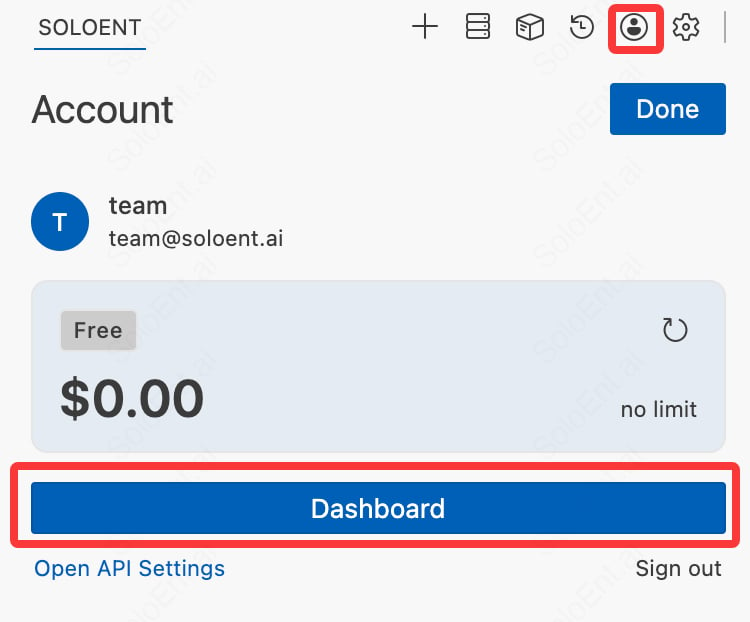
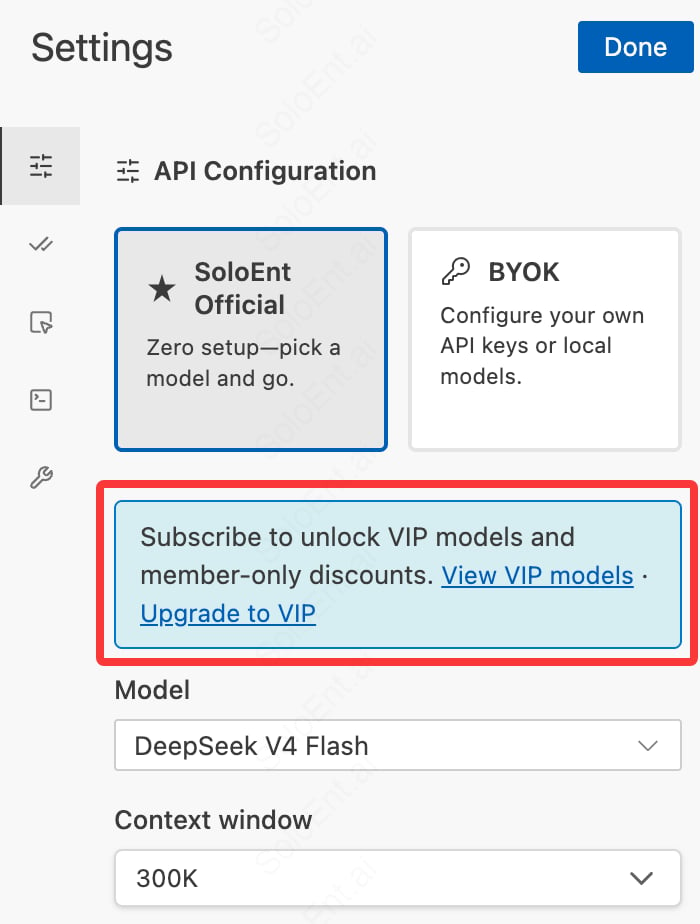
- Option 2 (from v0.3.5): Click the Agent Settings in the top-right → API settings; there’s an upgrade-to-VIP prompt and entry above the free model list.
Can I get a refund? What if I run out of credits?
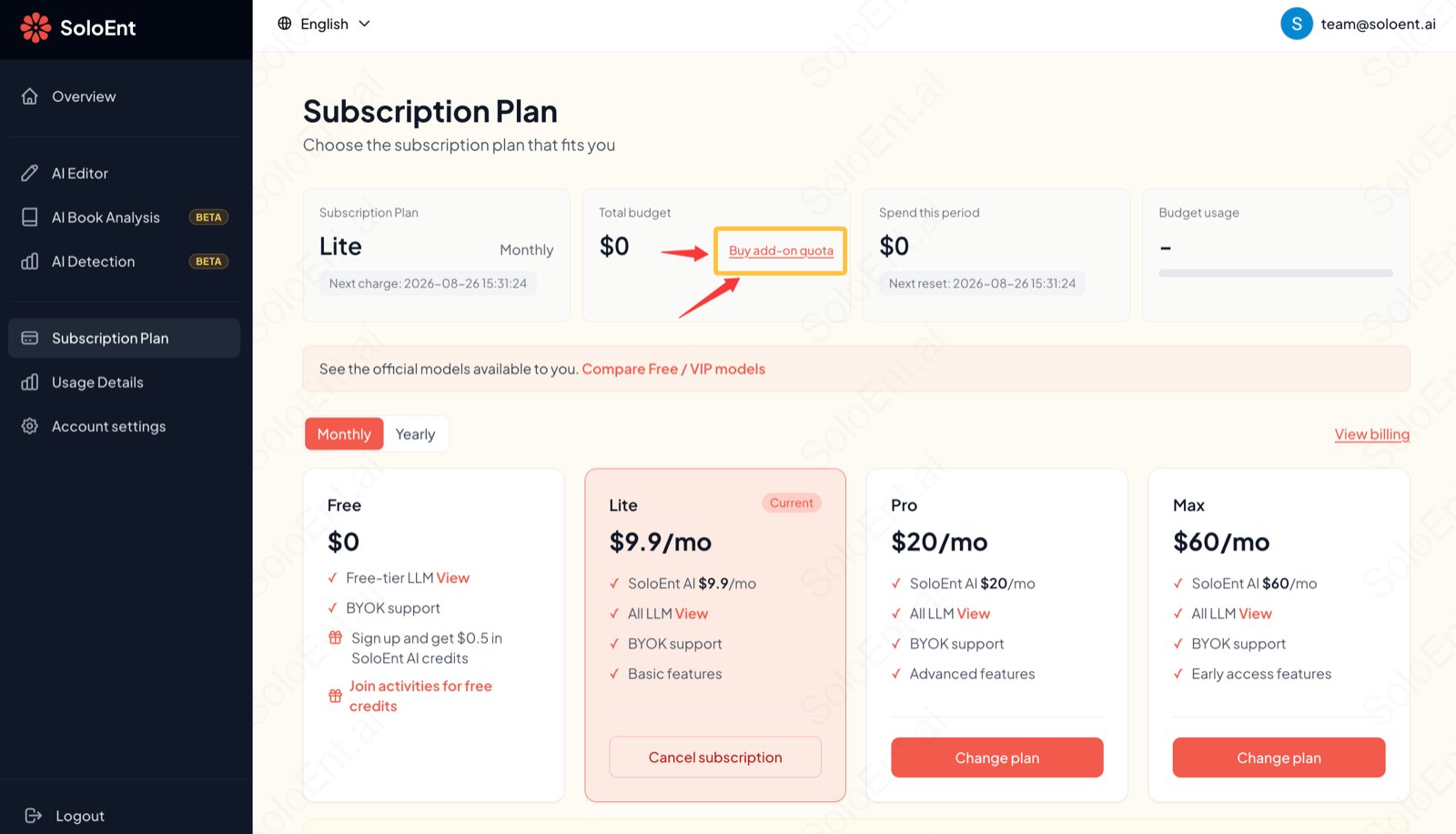
In the console, the button for your currently active plan shows Cancel subscription; click and confirm to cancel.- After canceling, the current period is not refunded; your benefits continue until the period ends and it won’t auto-renew.
- If your subscription credits run out, you can upgrade to a higher tier, or buy add-on credits separately (note: without an active membership you cannot top up credits directly).
How do I configure a third-party API key?
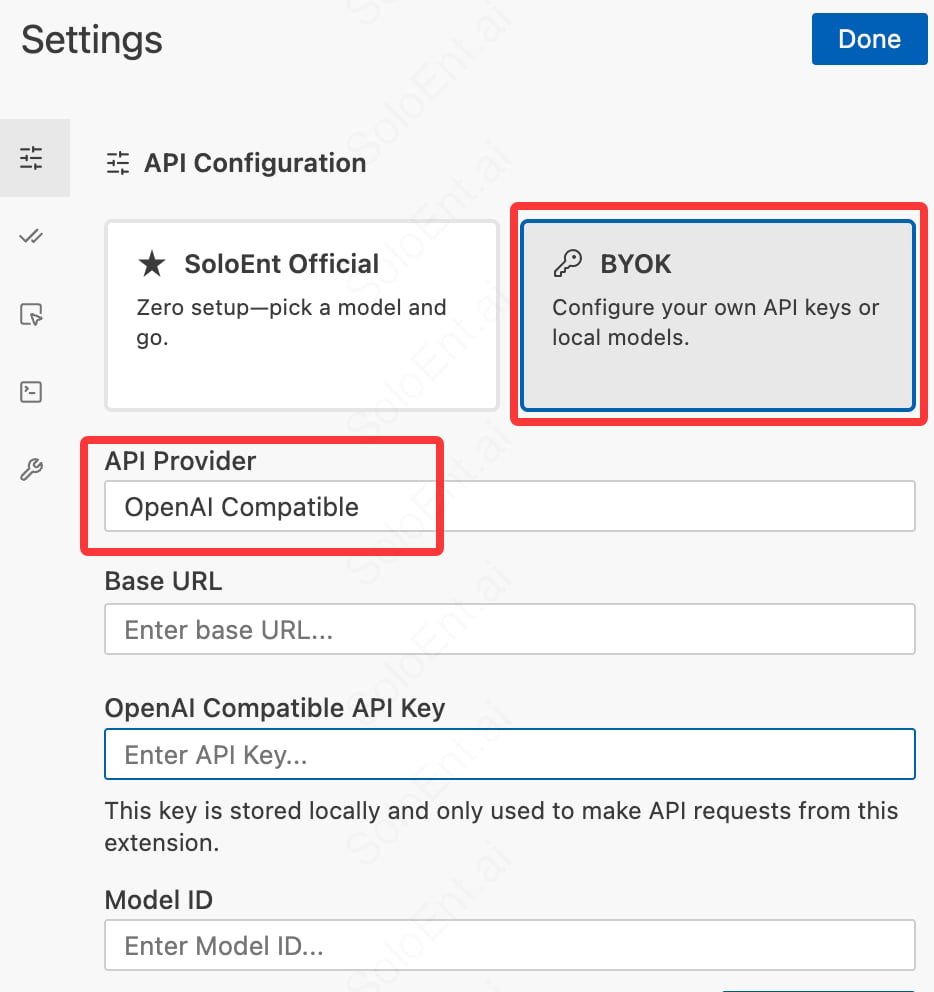
SoloEnt supports BYOK for free. Just select BYOK on the API settings page, then choose your API provider from the dropdown.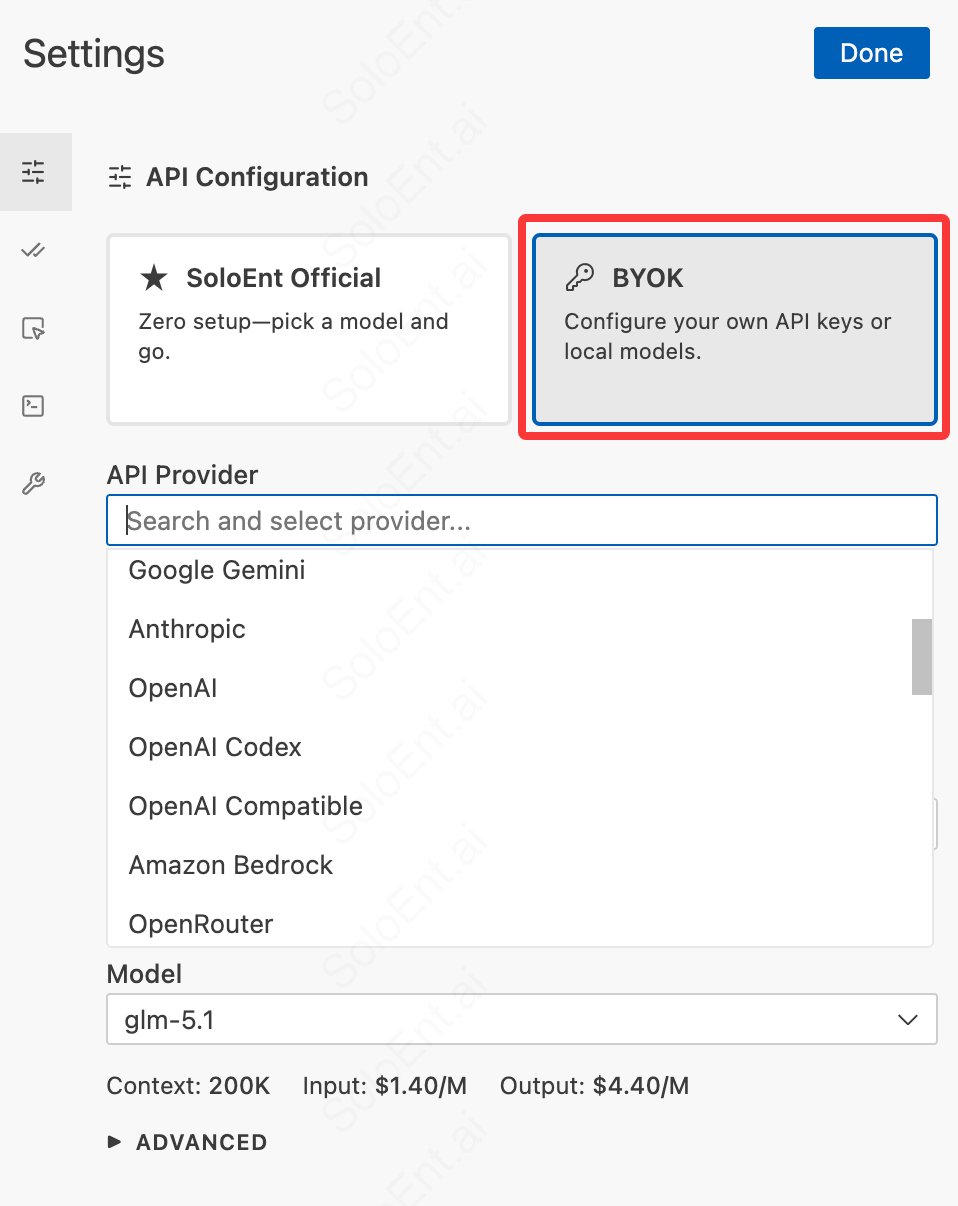
- Base URL
- API Key
- Model ID
The Agent panel language isn’t what I want
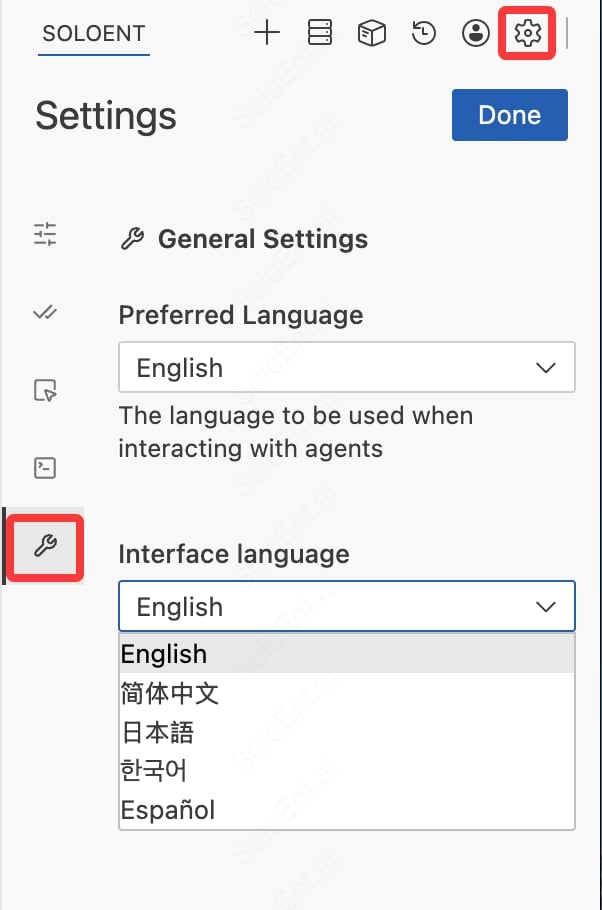
SoloEnt is the international edition. After you change the interface language on the welcome page, only some prompts in the main window change. The right-side Agent’s language must be set separately.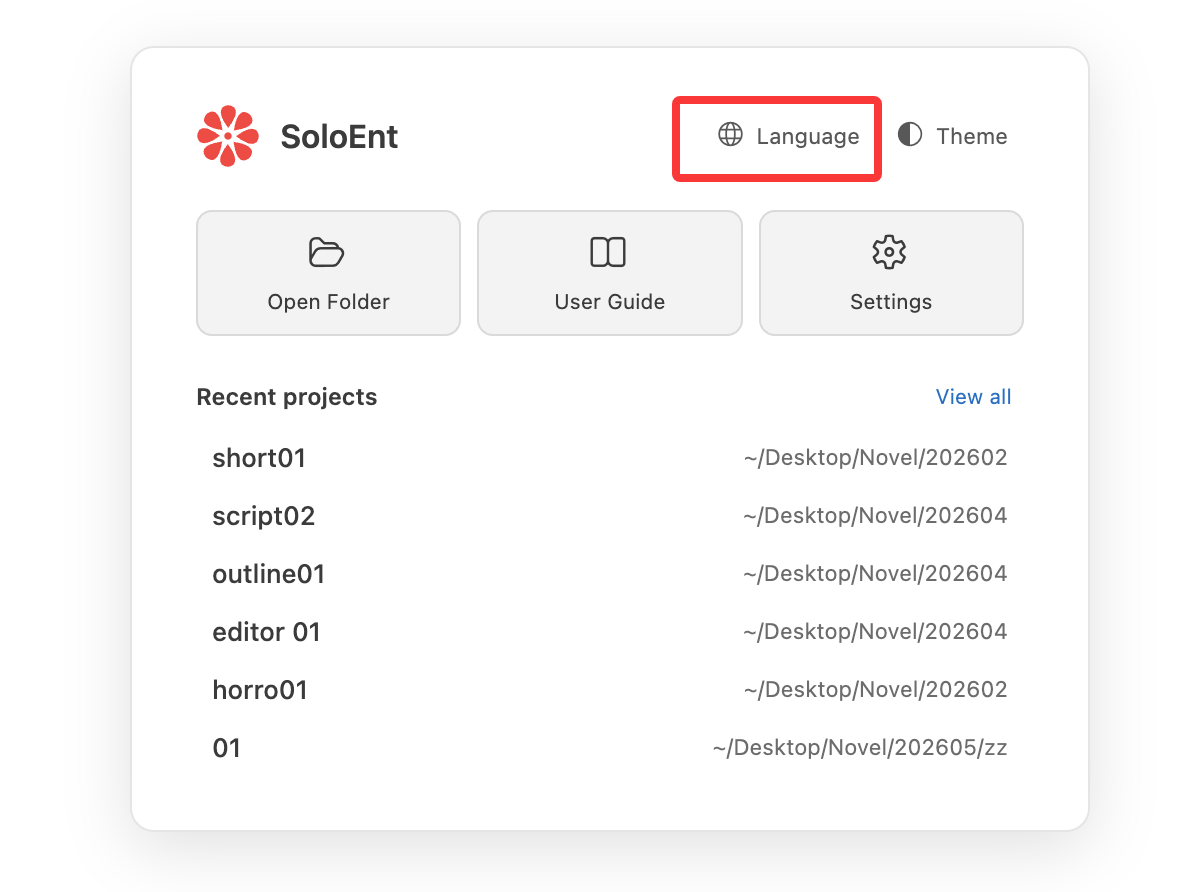
- Preferred Language: the language the AI replies in — the language you receive responses in when chatting with the Agent
- Interface Language: the display language of the Agent panel itself (menus, buttons, etc.); supports 简体中文, English, 日本語, 한국어, Español
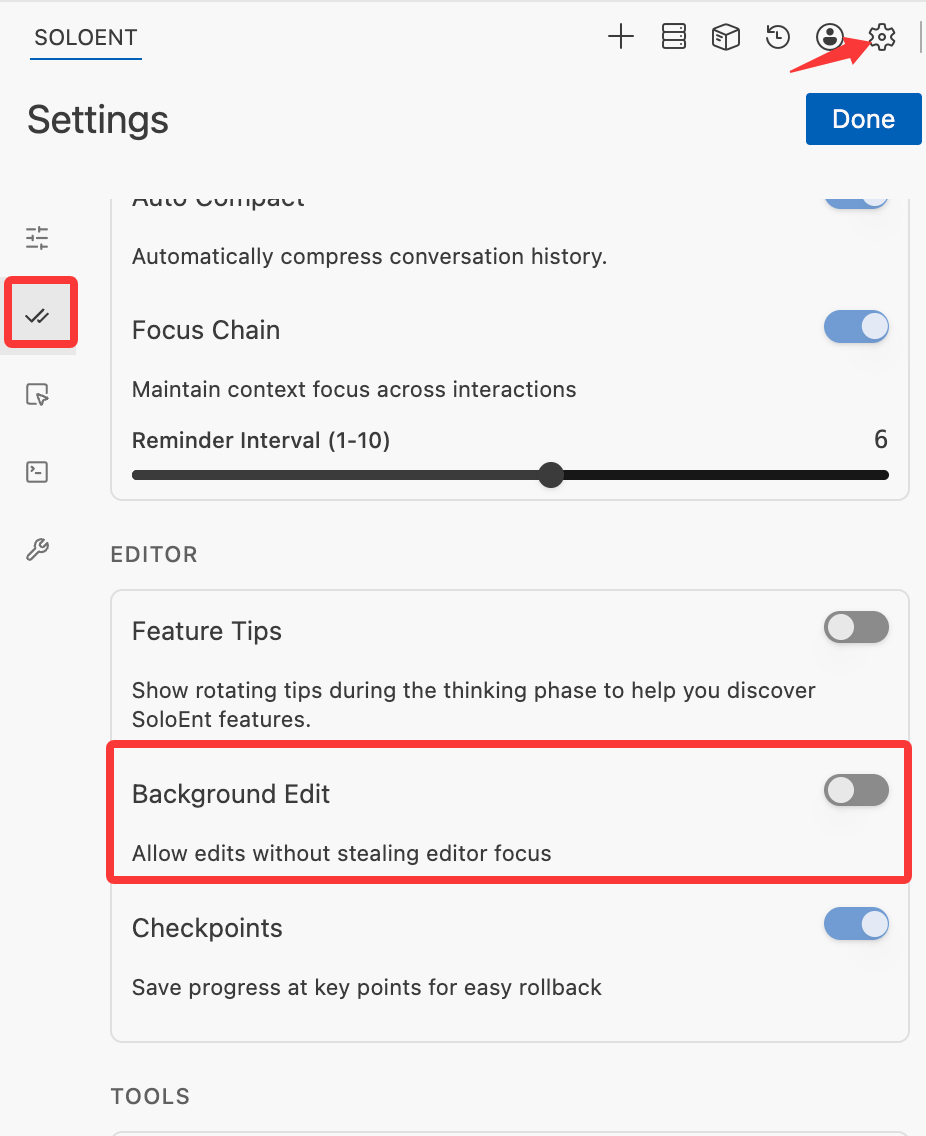
The Agent won’t create/save files, or always asks me to save
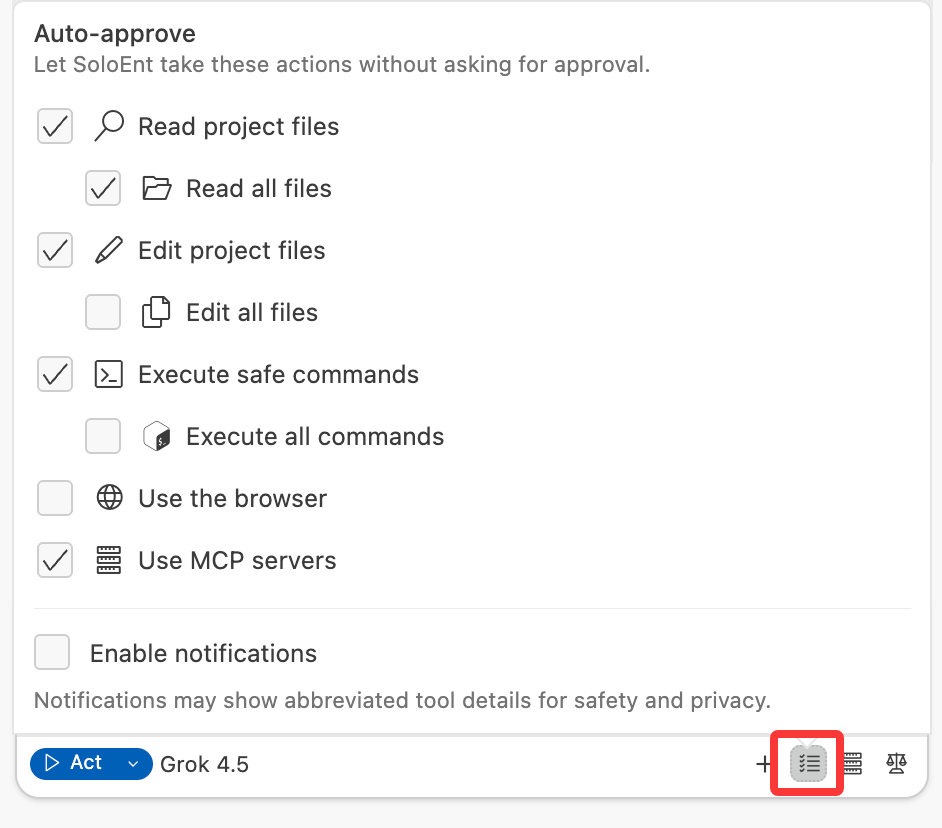
Check the following two settings in order. 1. Auto-approveIn the Auto-approve settings at the bottom-right of the Agent window, allow auto-edit so the Agent can write to project files without your approval. If it’s off, every file write needs your confirmation. See Auto-approve.
Prompt to install Git (for checkpoints)
The first time Windows users open SoloEnt, they may see the prompt shown below. It’s because Git isn’t installed, but it doesn’t affect normal use. Git is used to save state checkpoints during a conversation so you can roll back to a checkpoint and start over. macOS usually ships with Git; Windows usually needs a manual install. If you don’t need checkpoint recovery, you can ignore this prompt for now; when you do need it, download and install from git-scm.com.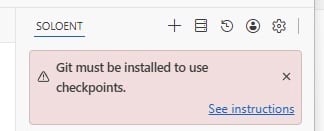
What is the context window? When should I open a new one?
Every session window has a context-length limit. Above the chat box you can see the current window’s session ceiling and how much context is used — for example the 30.2k / 300.0k below: the left number is the tokens used, and the right number is the current session’s context ceiling.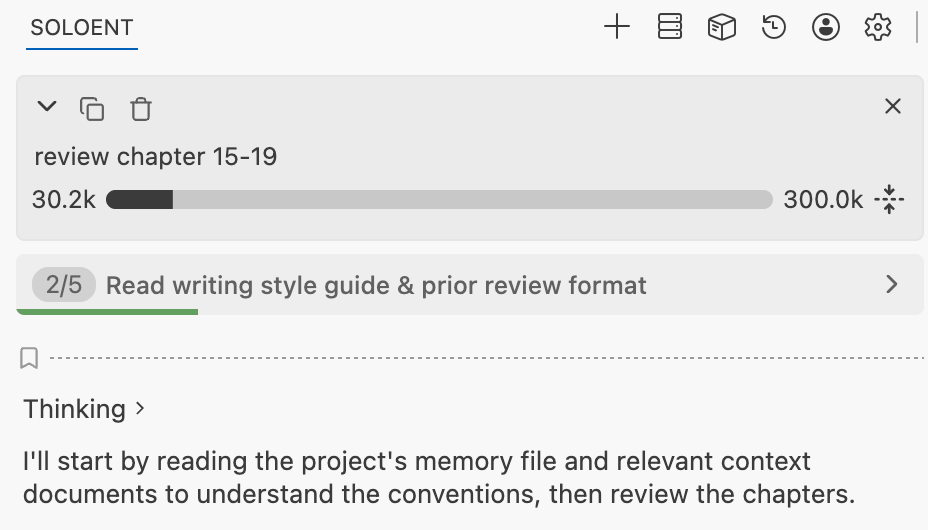
- The current task is done and you’re starting a separate one
- A single window has reached about 100–150K (continuing past 200K may cause a cost surge)
- You’re switching to a new direction unrelated to the current topic
/compact to condense the current session into a short summary, or have the Agent summarize the key points into SOLOENT.md, so the new window quickly restores context instead of piling up tokens from scratch.
For details, see Using the Context Window Wisely and the SOLOENT.md Guide.
Why doesn’t my project generate SOLOENT.md automatically anymore?
As of v0.2.0,SOLOENT.md is no longer generated automatically. You can create it manually at any stage of a project with the /init command, or skip it entirely for short pieces or when you don’t need context tracked across sessions.
Why do files sometimes fail midway or get regenerated repeatedly?
Common causes include:- The write was interrupted by hand: while the Agent is editing a file, editing it yourself, closing the Agent’s edit box, or making changes while the model is thinking can all cause duplication or truncation
- BYOK model output is truncated: a third-party model’s max output length may be capped, so the truncated result makes the file-writing tool call fail
- The client is outdated: older clients support newer models poorly — check your client version and keep it updated
- The single-window context is too long: when context is too long, the model’s tool-call output can be malformed. Tidy up your
SOLOENT.mdmemory file and continue in a new session, rather than staying in one session indefinitely
How do I work on several projects at once?
Click File → New Window in the top-left to open more than one window, each with a different project. Commands you run in one project window never affect the others.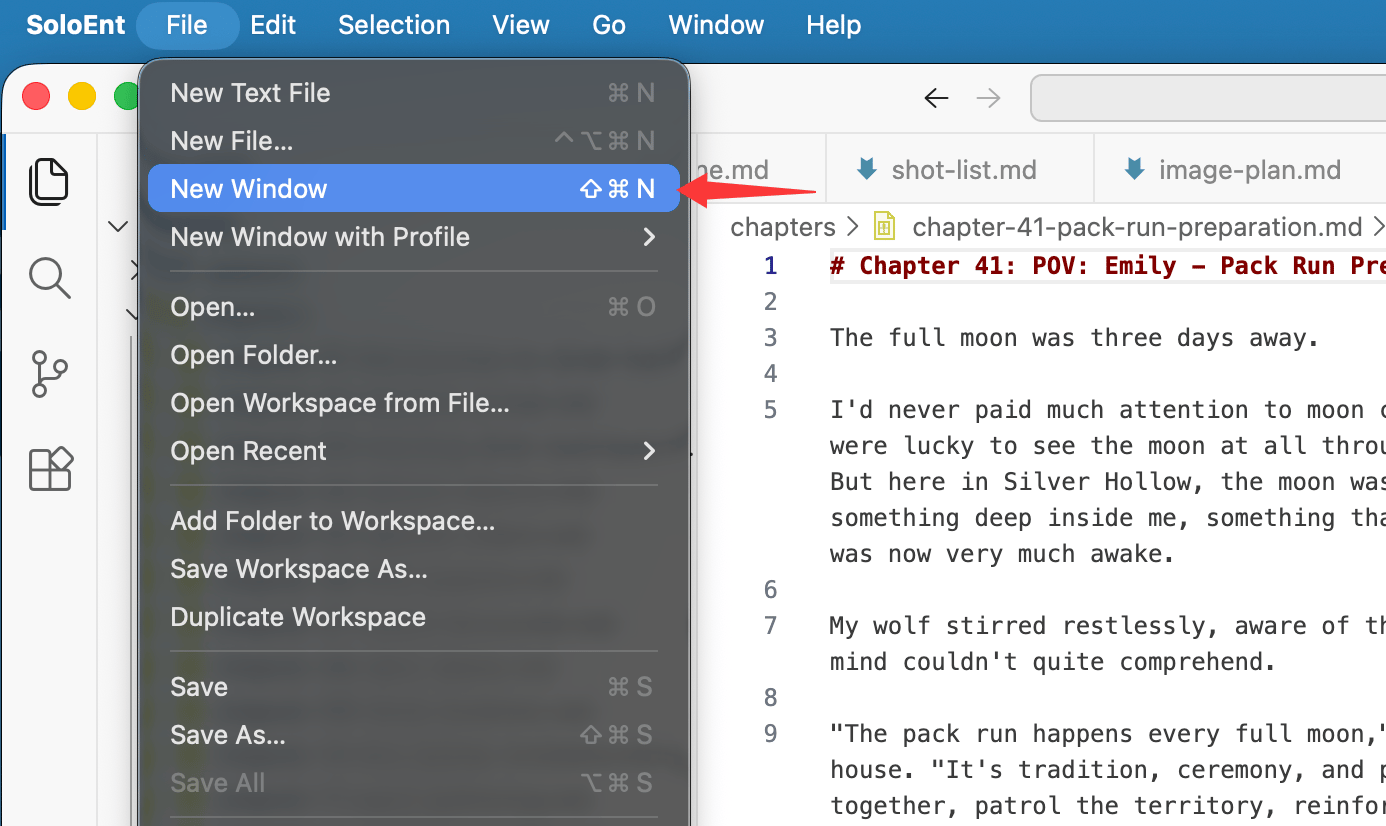
Why can’t the AI hit a target word count?
- The AI cannot count words accurately on its own — a script is needed to measure the real total. Commonly used Skills usually ship with a word-count script built in.
- The count in the bottom-right of the editor follows Word’s rules, so that number is trustworthy.
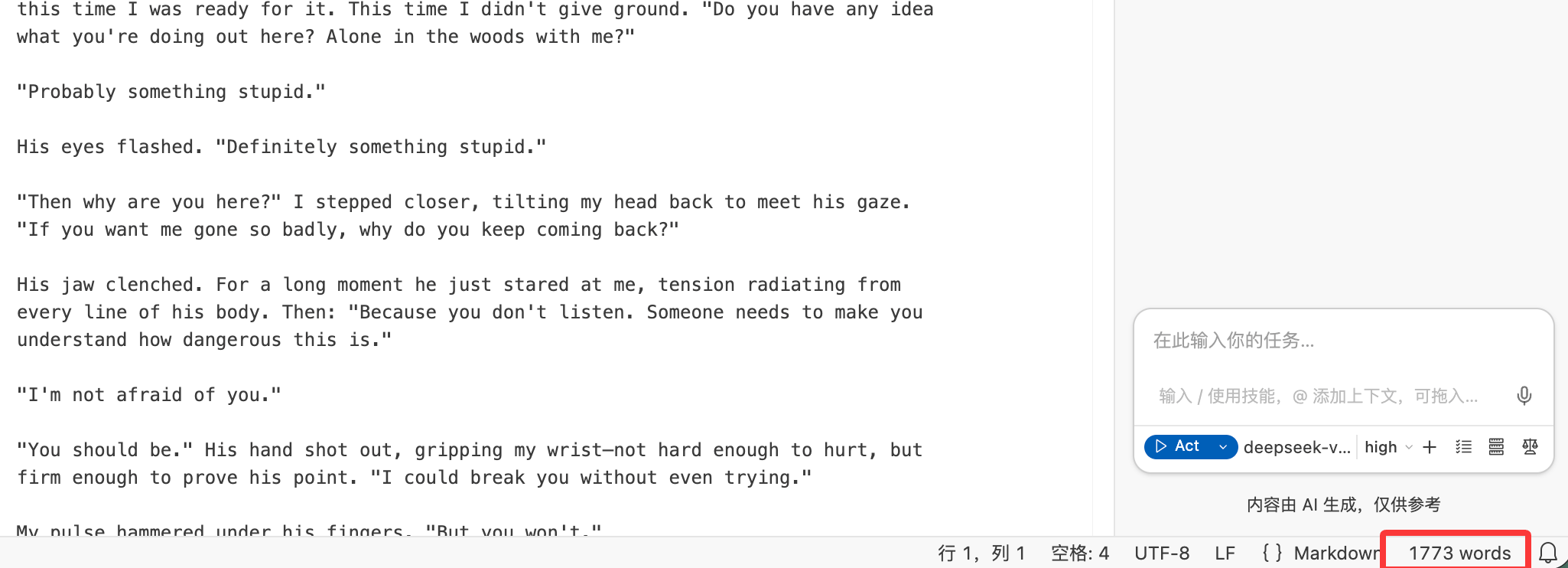
- Even with a script, the AI can only make trial adjustments based on the gap between each measurement and the target. Each pass may overshoot or undershoot, so it takes a few rounds to converge.