

Image tools are available from v0.11.0 and are members-only.
Where to enable
In Settings, you can turn SoloEnt Image Tools on or off.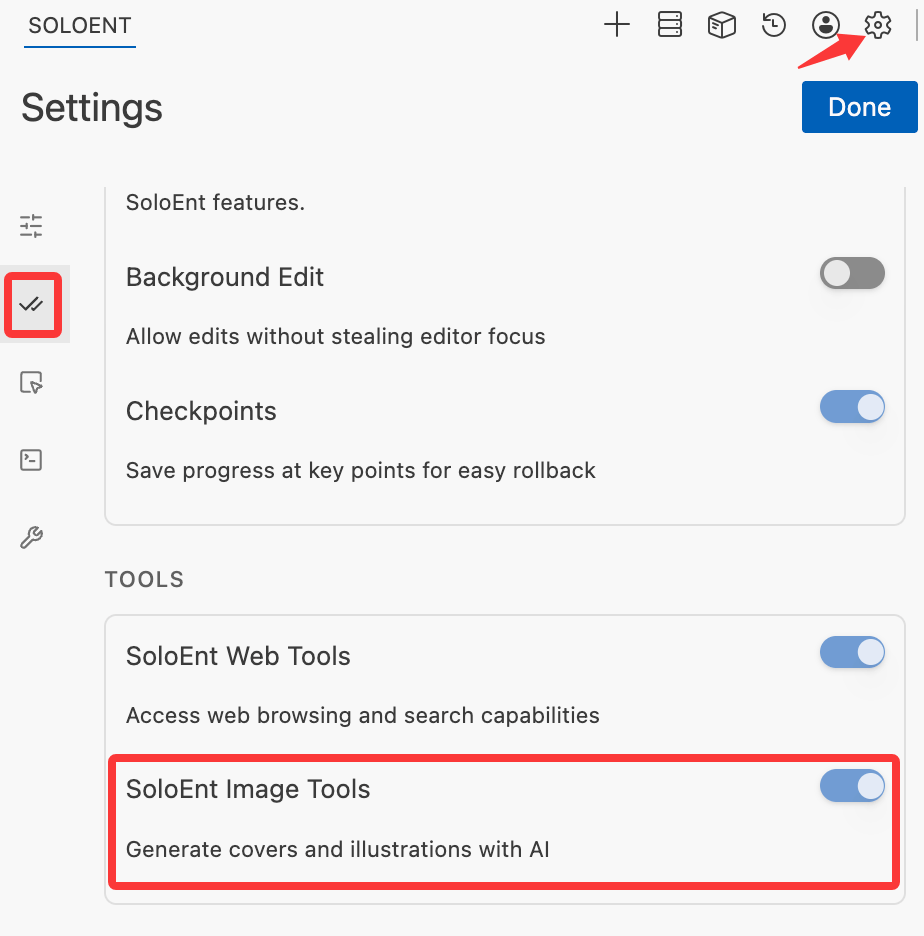
- You complete image tasks by talking to the Agent in natural language
- No model switching is required — run the skill with the model you normally use, and image generation calls the service automatically
- The image service is provided officially, automatically consumes your account’s AI credits, and is members-only
Choose an image model
Under Image Tools at the bottom of the API configuration page, you can set the default model used when creating and editing images. The latest GPT, SeeDream, QwenImage, and WanImage models are all available; the default is GPT Image 2.5 Flare.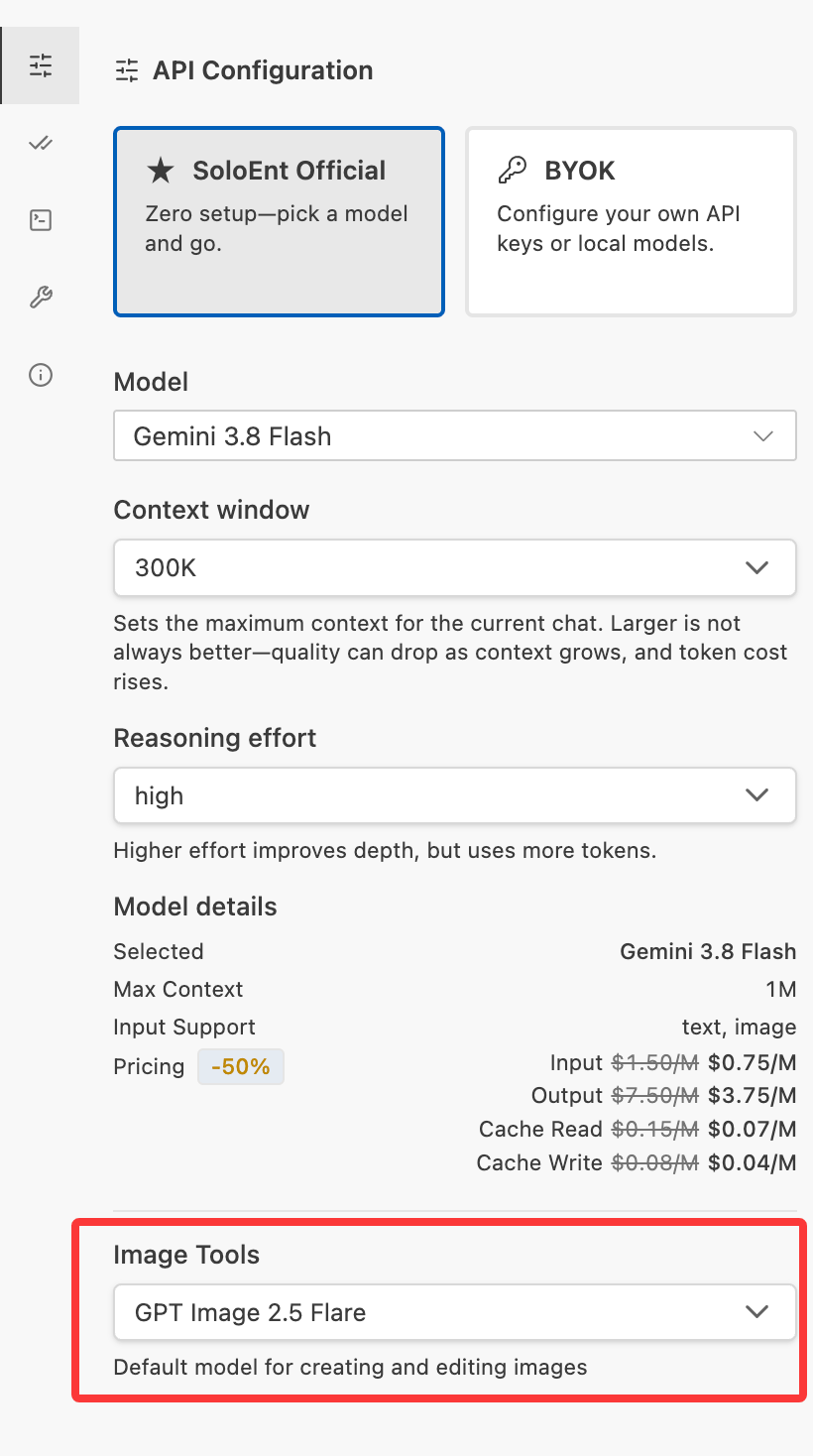
Make covers or character cards with a Skill
With a writing Skill, you can have the Agent generate covers, character cards, or illustrations directly from your novel’s worldbuilding and character settings. The example below uses a “character card” Skill.1
Install the character-card Skill
Install the “character card” Skill in your project (available in one click from the Marketplace).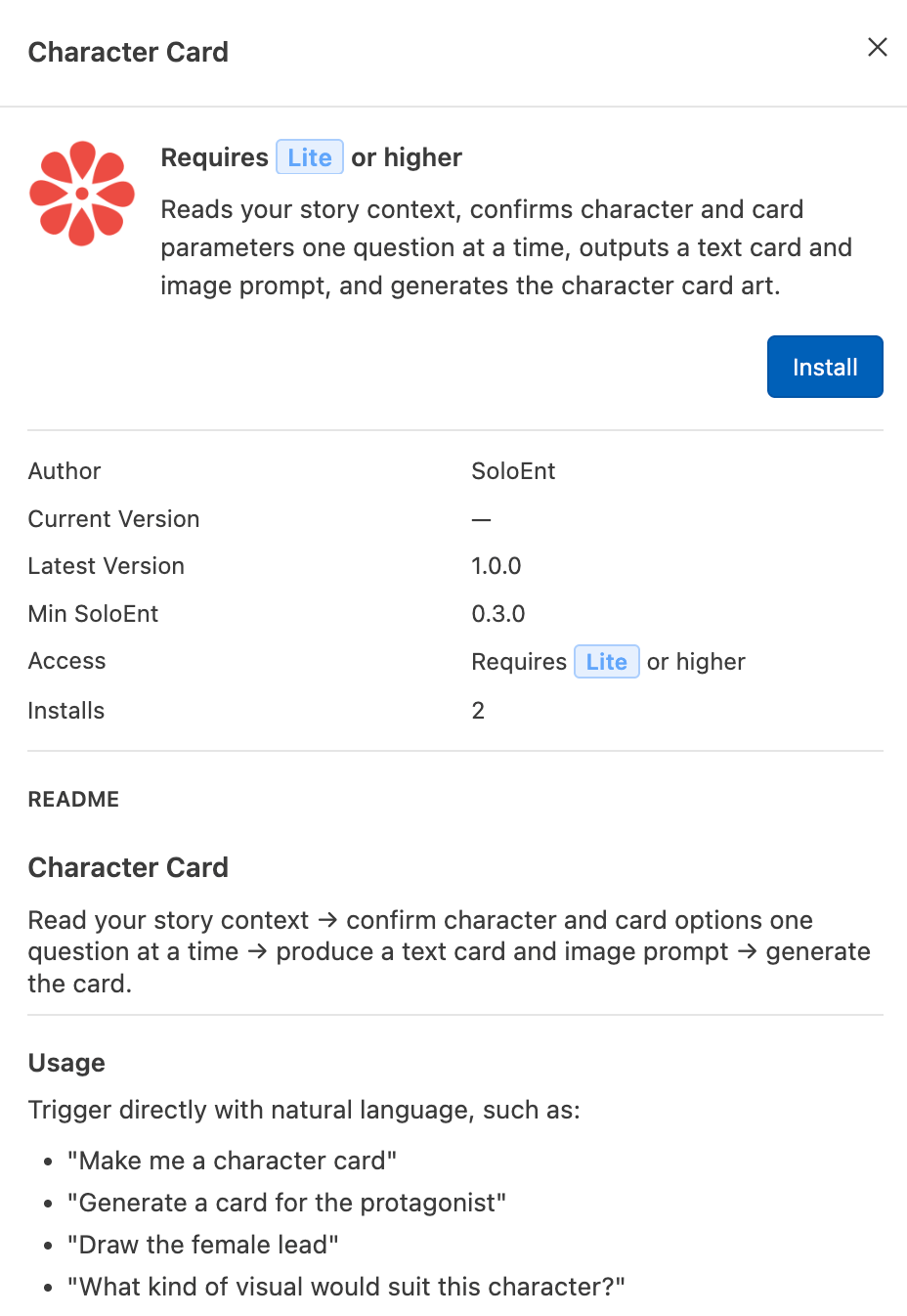
2
Make your request in chat
Following the Skill’s usage, make your request in the chat window, for example “Generate a character card for the female lead.”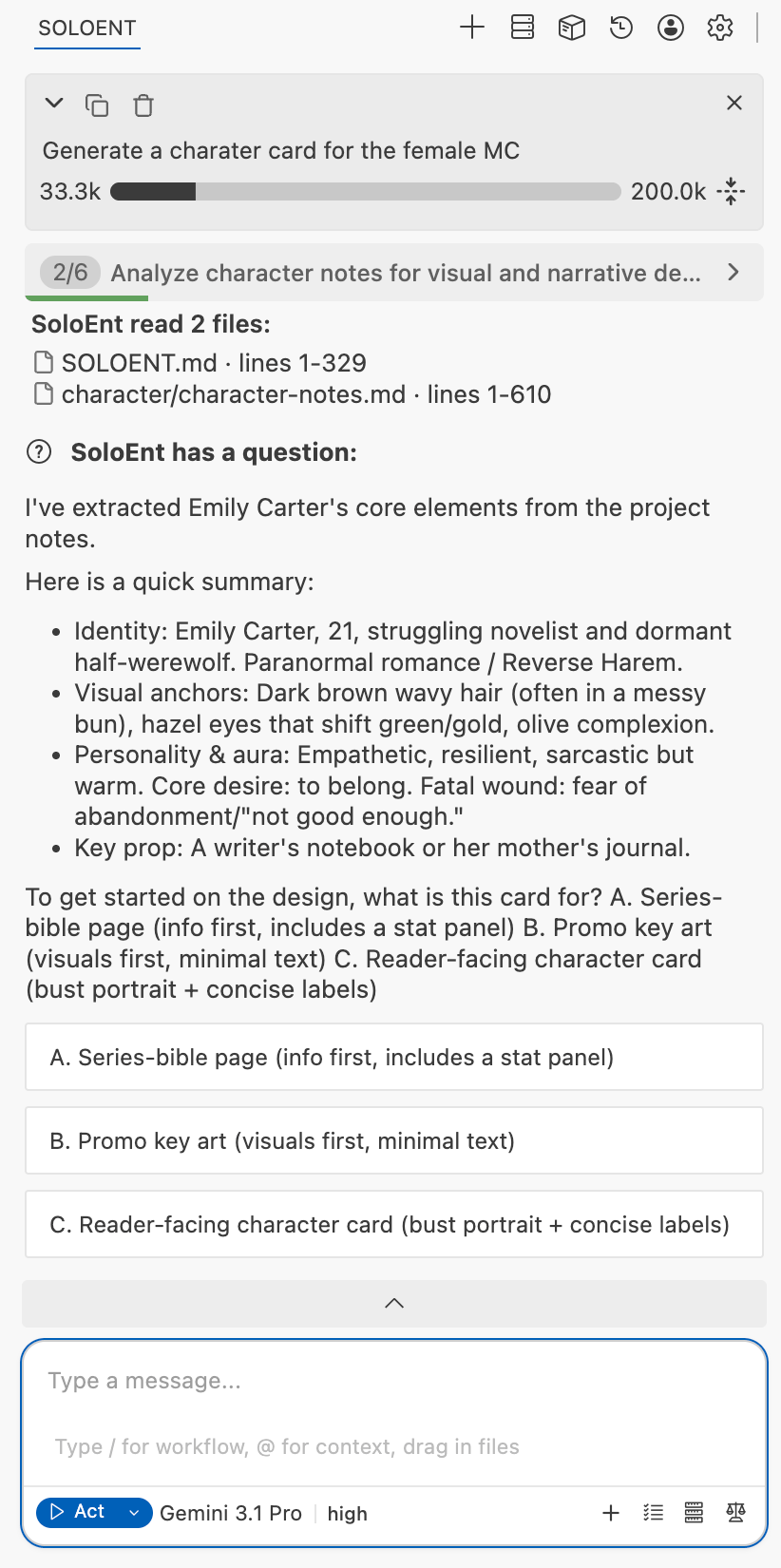
- The Skill automatically locates and reads the files related to that character’s settings and confirms the details with you
- Pick a model you normally use with strong execution ability; this model does not affect the image generation
3
Confirm and generate
Once the prompt matches the character card you have in mind, confirm generation and the Agent will automatically call the image tool.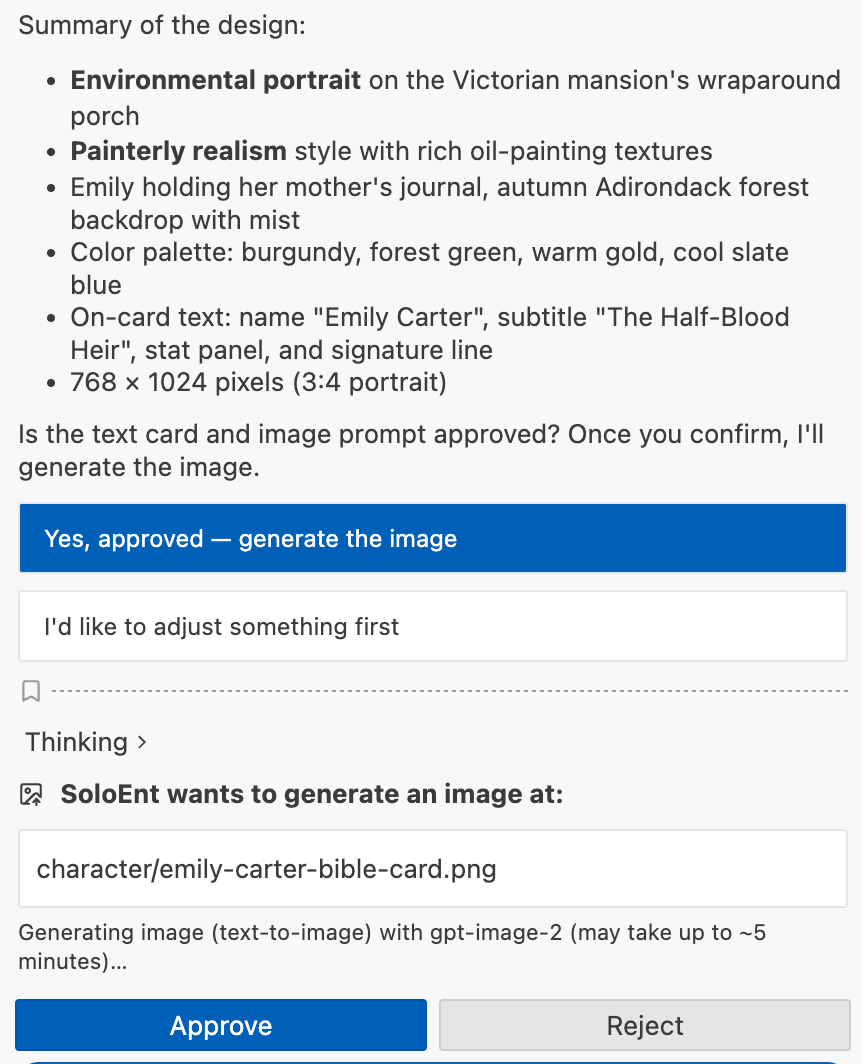
4
Collect the result
The generated image appears directly in your project folder.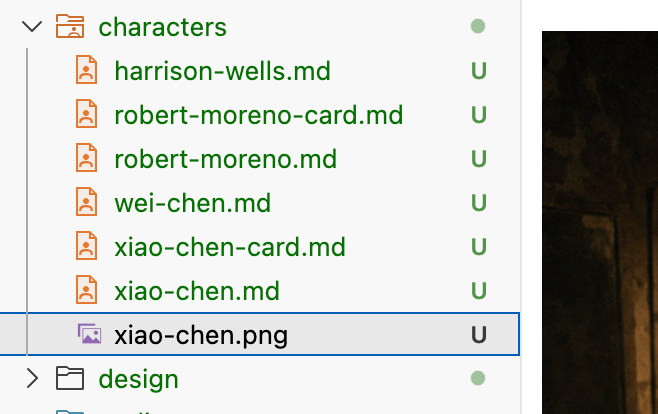
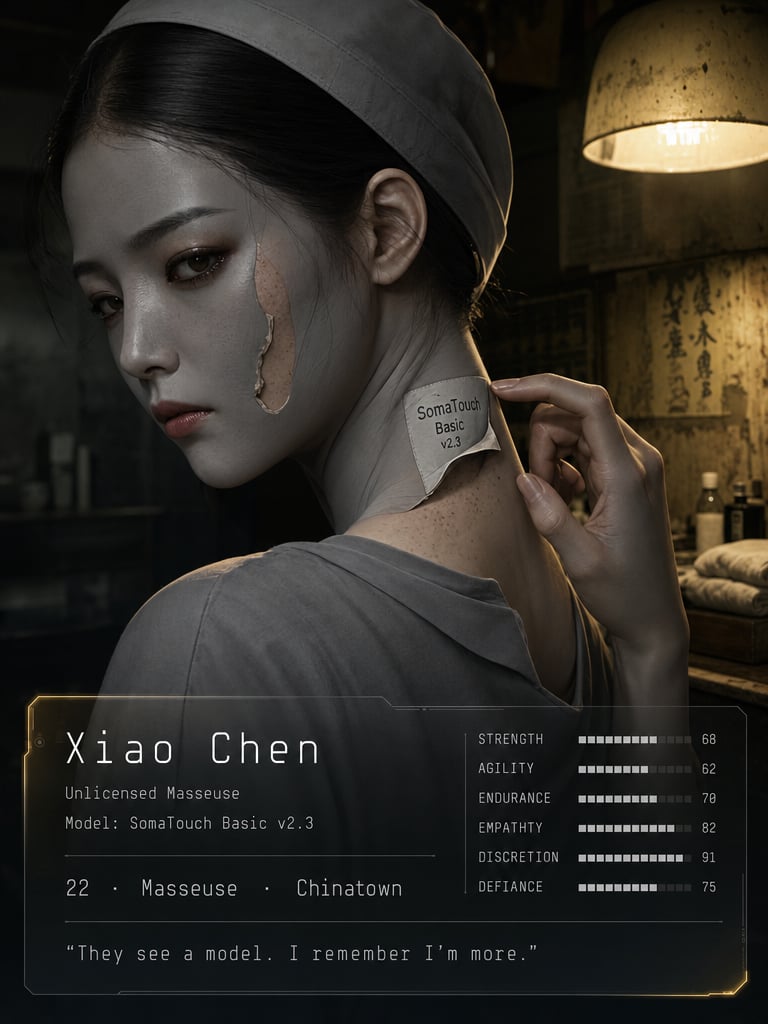
Example: character-card generation prompt (Xiao Chen)
Example: character-card generation prompt (Xiao Chen)
Text character cardGeneration prompt (submitted to the model)
Skills
Learn how to create and use Skills, and pair them with image generation for covers and character cards
Marketplace
Install official writing skill packs in one click