SoloEnt supports collaboration between a main Agent and subagents. Based on the task, the main Agent automatically dispatches subagents and assigns exploration work; multiple subagents run in parallel and then report their results back to the main Agent. This keeps the main Agent’s context from being filled with large amounts of raw material during wide-ranging exploration.

When it fits

Good for: knowledge exploration, information gathering, and classification/collaboration — the main Agent assigns different exploration tasks to different subagents to complete in parallel, then aggregates the results.
  • Gathering weapon references, worldbuilding knowledge, and character design separately
  • Reading different chapters separately and then summarizing
Not good for:
  • Assigning repetitive tasks to multiple subagents at once — different subagents repeatedly read the same context, which is wasteful
  • Production/output tasks — subagents focus on exploring, gathering, and organizing; they have no write tools and are not responsible for output

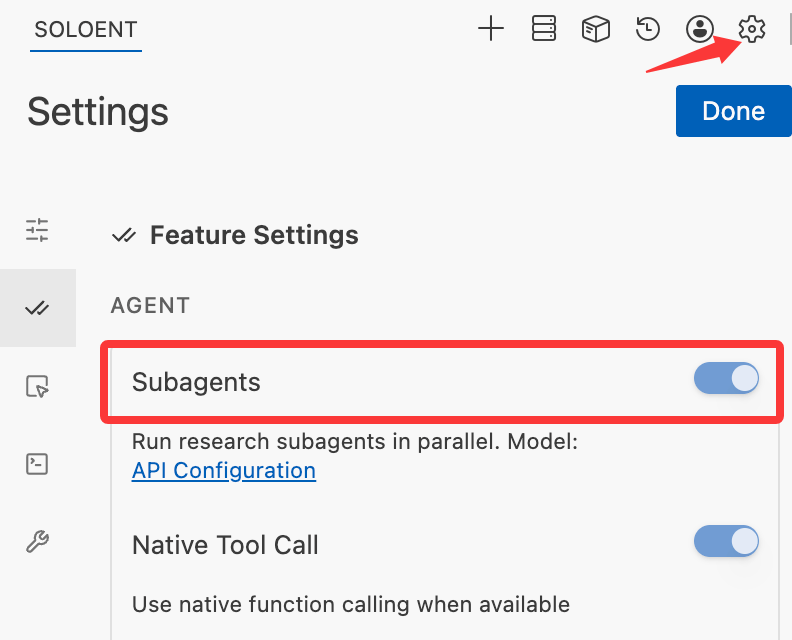
Where to enable

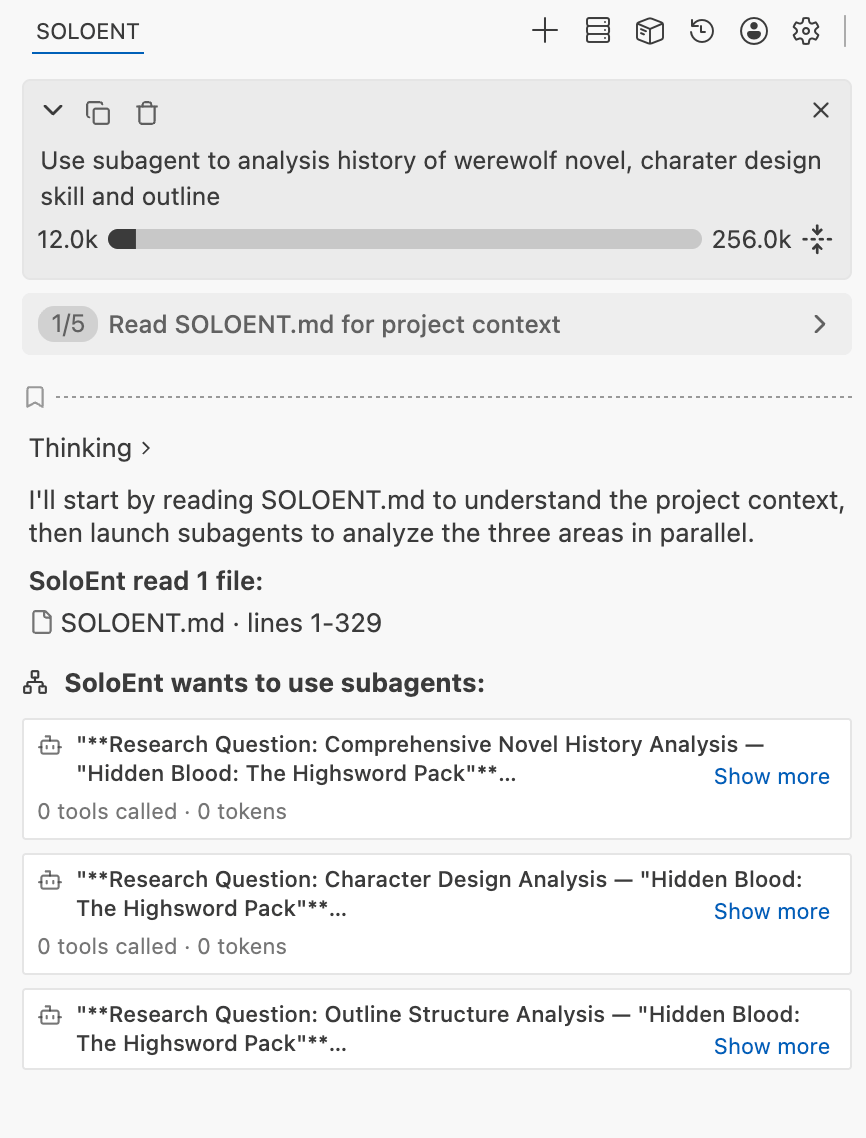
In Agent Settings you can turn subagents on or off. When enabled, the main Agent will automatically trigger subagent collaboration as the task requires. The subagent toggle in Agent feature settings, described as letting SoloEnt run read-only research subagents in parallel to gather evidence from your writing project For example, during wide-ranging knowledge exploration, the main Agent can delegate read-only subagents to run in parallel and aggregate the results back, greatly saving context. The main Agent running 3 subagents in parallel to analyze the previous 3 chapters, the characters, and the outline in support of writing the next chapter
Configure a separate model for subagents

Subagents mainly explore the information the main task needs, so you can pair them with a different model from the main Agent. Benefits of tuning this well:
  • Saves the main Agent’s context
  • Parallel exploration speeds up information loading
  • Using a cheaper model lowers overall cost
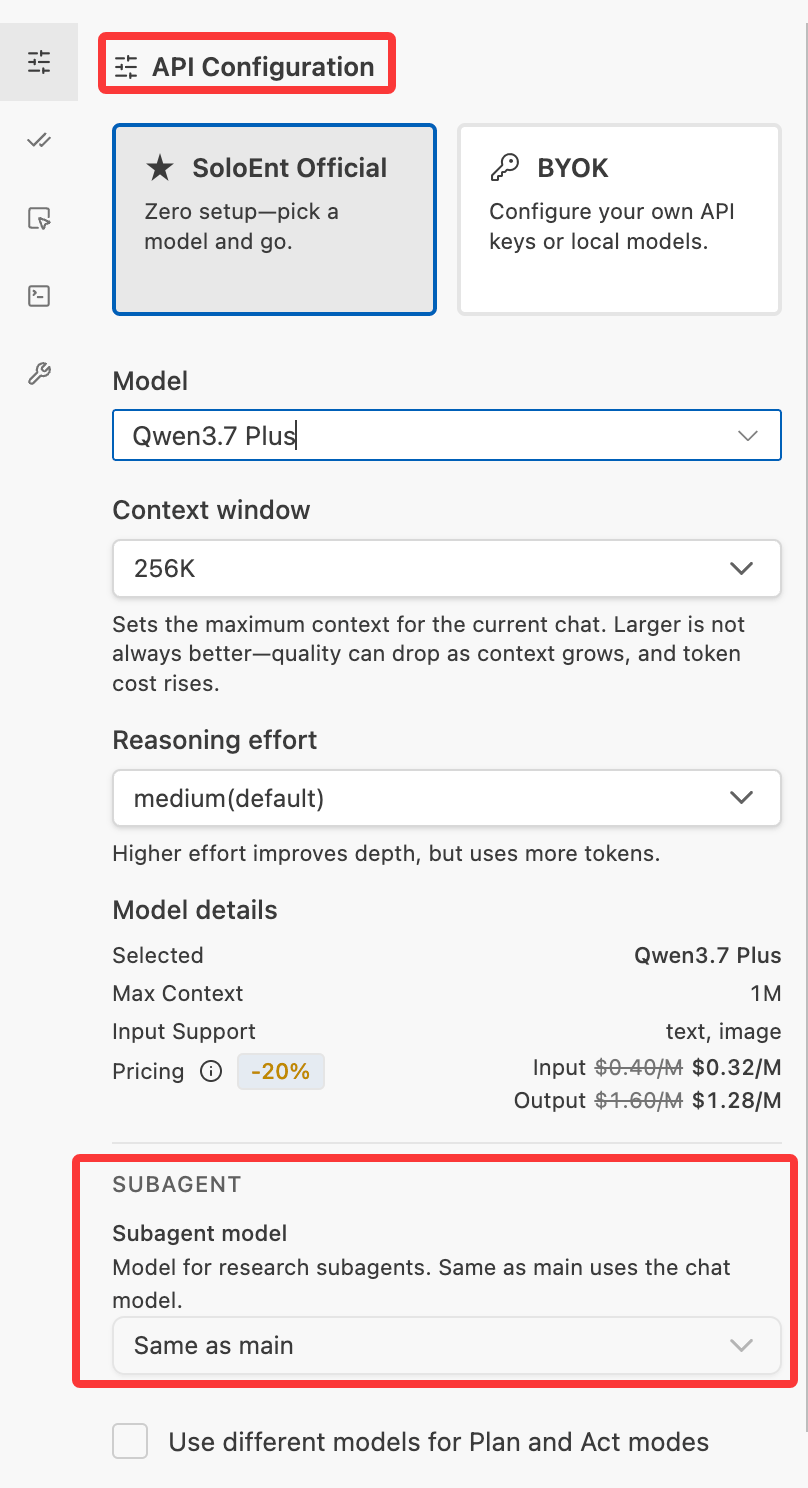
The SUBAGENT section in Agent Settings > API Configuration, where the subagent model can be set to Same as main or specified separately

Context Window

Learn how context is consumed and when to open a new window

Skills

Turn reusable exploration/organization flows into Skills to use with subagents