

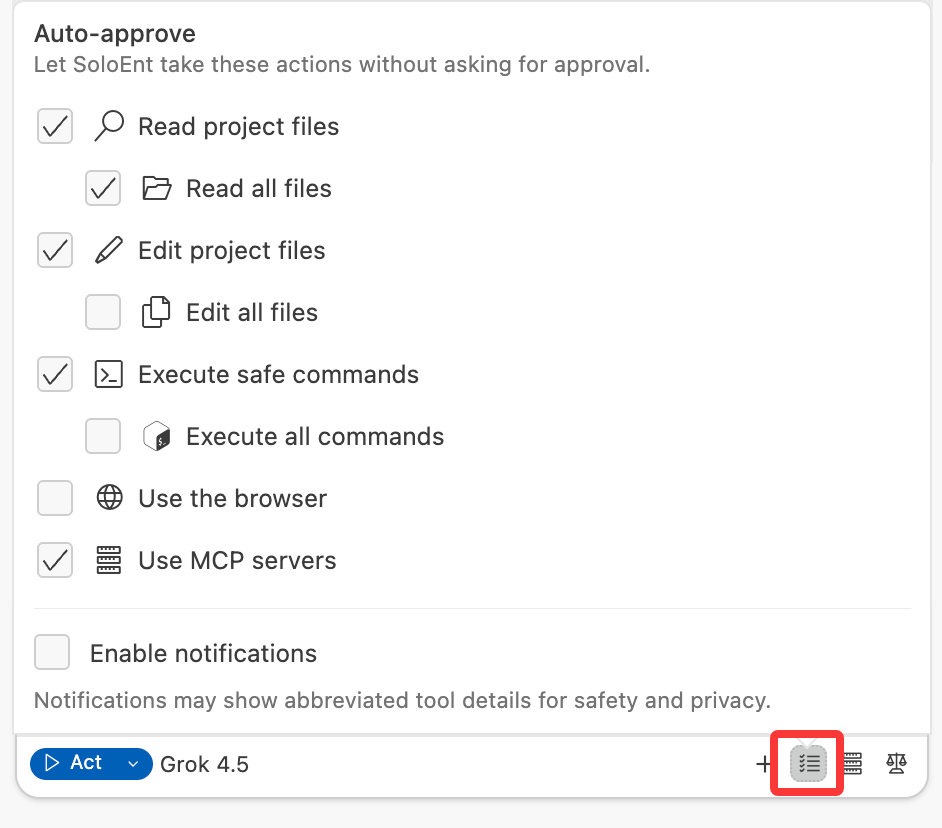
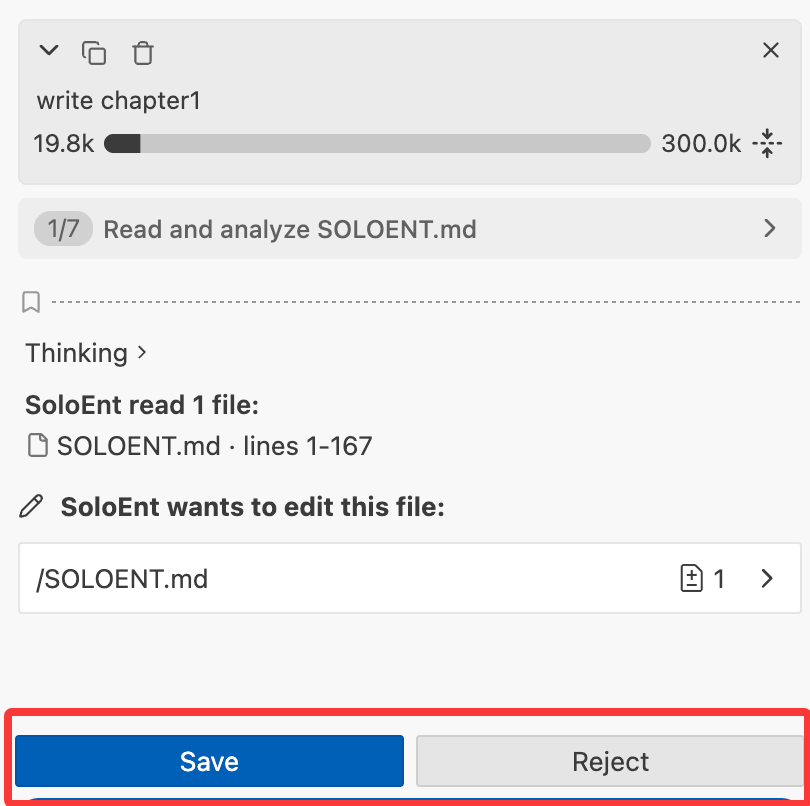
Note that if you do not enable the Edit project files permission, the Agent will ask for your confirmation every time it creates or modifies a file.
Recommended setup for writers
Most writers do well with this baseline:Always enable
Read project files — lets SoloEnt read your chapters, outlines, and character sheets without asking each time
Enable if you want SoloEnt to save
Edit project files — lets SoloEnt write content directly to your files, so nothing gets lost
Enable for slash commands
Execute safe commands — default commands rely on this to run and save their reports automatically
Enable for research
Use the browser — lets SoloEnt look up facts, names, or references while you write
Execute all commands and Use MCP servers are not needed for writing work — leave them off.
What each permission does
“Read all files” and “Edit all files” only extend access outside your project folder. If the base toggle is off, these sub-options have no effect.
Common writing scenarios
I don't want to hit save on every file
I don't want to hit save on every file
Enable Edit project files. SoloEnt saves content directly to your files as it generates—you won’t lose work if you close the window or something interrupts the session.
I want SoloEnt to research while I write
I want SoloEnt to research while I write
Enable Use the browser. SoloEnt can look up historical facts, place names, terminology, or any reference material without you having to switch tabs.
I just want to chat and brainstorm without any file access
I just want to chat and brainstorm without any file access
Leave everything off. SoloEnt can still talk through ideas, suggest plot directions, and help you think—it just won’t read or touch your files unless you paste content directly into the chat.
I want SoloEnt to work through a long task while I step away
I want SoloEnt to work through a long task while I step away
Enable Enable notifications. You’ll get an alert when the task finishes, so you don’t have to keep checking back.
Next steps
Interface overview
Learn the three-panel workspace
API configuration
Set up your API keys