

Two language settings
Interface language
Menus, buttons, and UI elements
Agent language
AI conversation language
Setting interface language
On first launch
The welcome screen lets you choose your interface language.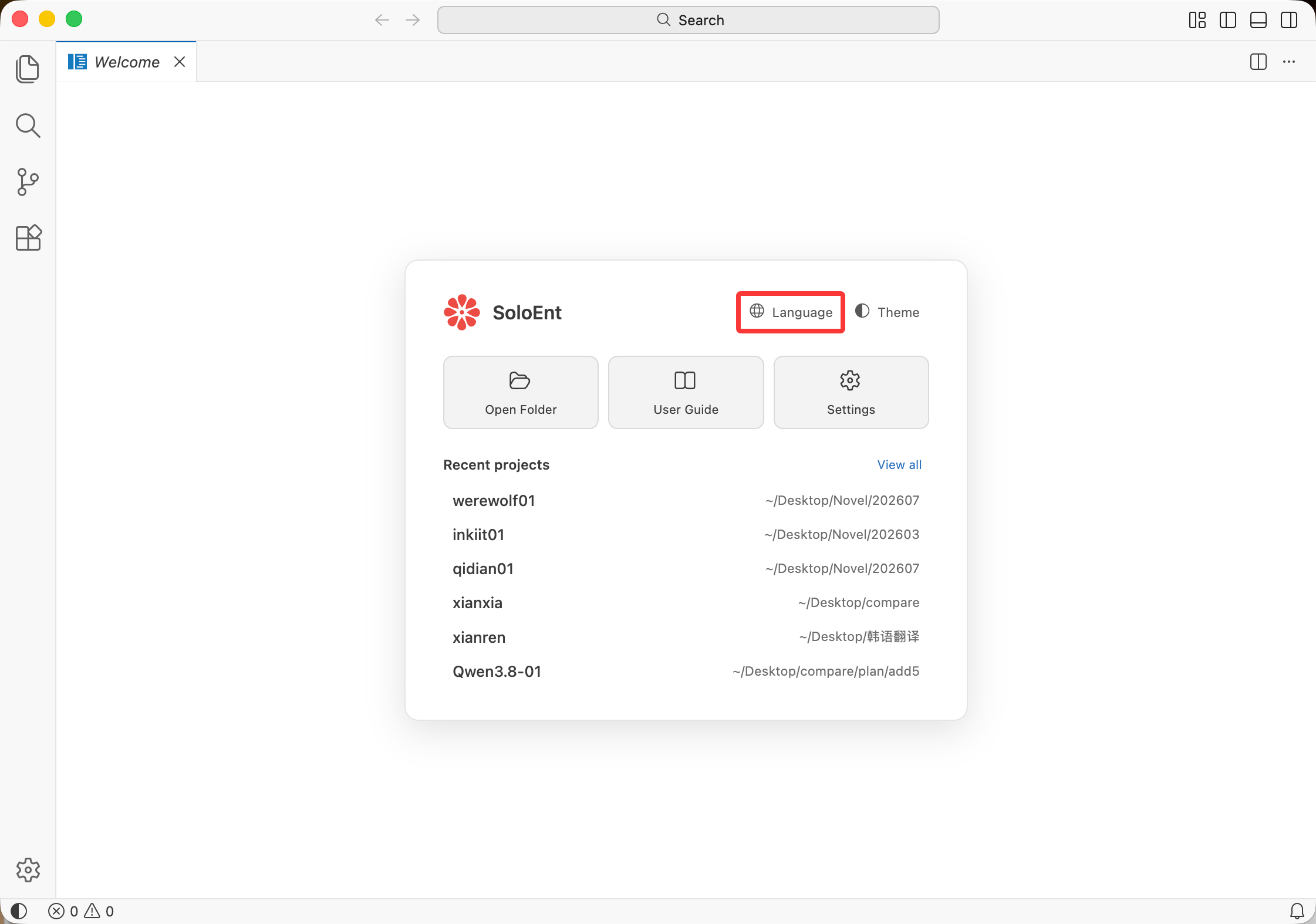
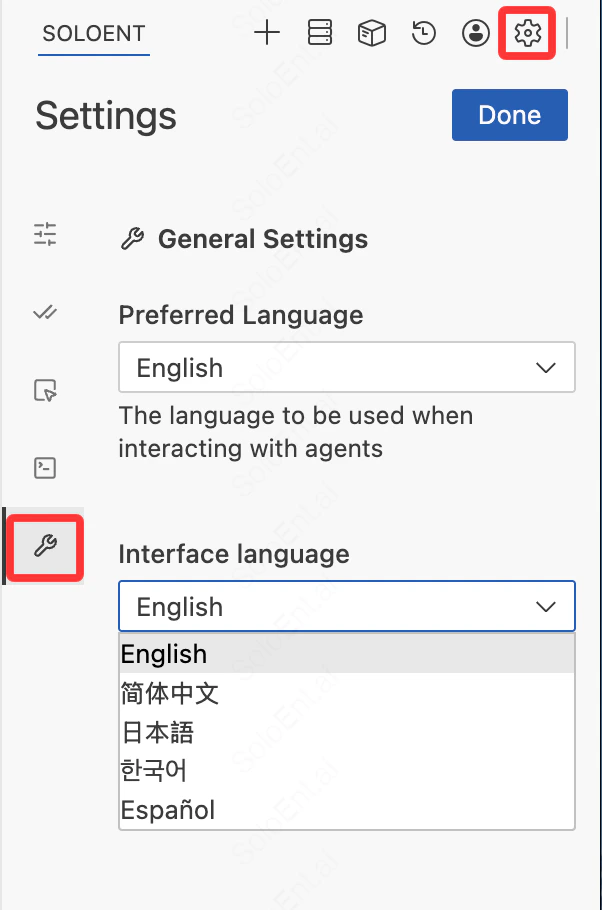
Setting Agent language
The Agent language must be set independently. Click the settings icon in the top-right corner of the Agent panel. Under General Settings, you can configure the following two options:- Preferred Language: Sets the language AI uses when replying — this is the language you receive responses in during conversations with the Agent
- Interface Language: Sets the display language of the Agent panel itself. Supports English, 简体中文, 日本語, 한국어, and Español
Next steps
Theme settings
Customize visual appearance
API Configuration
Configure API settings